

⚠️ You want to accept crypto. You don't want someone else holding your money.
Your customers want to pay in Bitcoin. Some want to pay in stablecoins like USDT or USDC.
So you look at crypto payment gateways. Many of them work like a bank: the money lands in their account first, you open an account with them, and they pay you out on their terms. 🤔
The other option is wiring up payments yourself, which is a project in its own right.
If you're searching for how to accept BTC, USDT, and USDC on your site without handing your money to a middleman, OpenReceive is built for that.
🚀 OpenReceive: add BTC, USDT, and USDC checkout with one copy and paste
OpenReceive is a free, MIT-licensed payments library that runs inside the app you already have. You don't have to read the docs first. Copy the agent directions, paste them into Claude Code, Codex, or Cursor, and your coding agent adds checkout to your Rails, Next.js, PHP, or WordPress site.
Bitcoin is paid directly over Lightning. USDT, USDC, SOL, and ETH go through a swap provider you choose, and you receive bitcoin in your own wallet. One checkout, several ways to pay. 🙂
How to accept BTC, USDT, USDC on your site — 4 simple steps
The one step that matters is the first one: copy the agent directions. Your coding agent does the rest and asks you for two codes along the way.
01
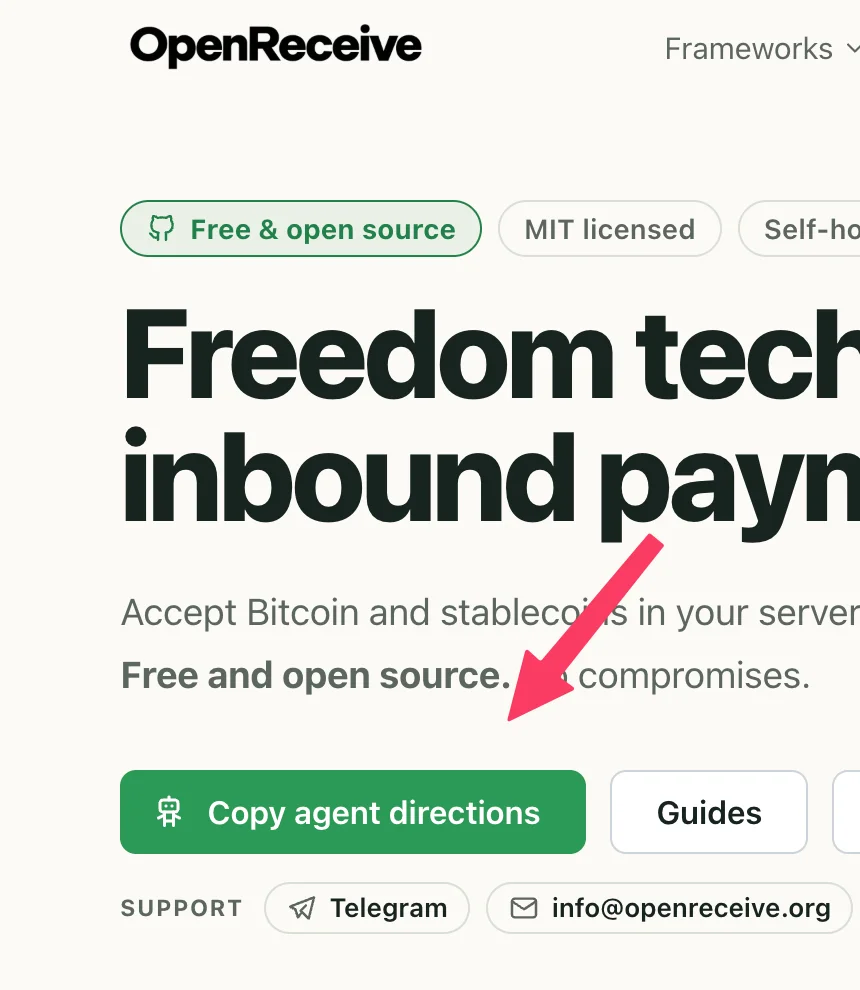
Copy the agent directions
On openreceive.org, click Copy agent directions, then copy the link for your framework: Rails, Next.js, PHP, WordPress, and more.
02
Paste it into your coding agent
Paste the link with your prompt into Claude Code, Codex, or Cursor. The agent reads the directions and adds OpenReceive to your app.
03
Paste your NWC code
When the agent asks, paste a receive-only NWC code from rizful.com, getalby.com, or any provider. This connects the wallet your bitcoin goes into.
04
Paste your Lightning Swap Connect code
Optional, for USDT and USDC. Paste a Lightning Swap Connect code from lightning-swap.com, fixedfloat.com, or any provider. Customers can now pay with Bitcoin or any stablecoin.
💬 Your agent prompt
Pick your framework, copy the prompt, and paste it into your coding agent:
This is a Rails app. Enable Bitcoin and stablecoin payments with OpenReceive. Follow these directions: https://openreceive.org/agent-directions/rails.md🧰 Pick your framework
OpenReceive has agent directions, a quickstart, and an example app for each of these:








Prefer to wire it up by hand? Every framework page links to a full quickstart and a working example app.
🪙 What your customers can pay with
Bitcoin over Lightning goes straight into your wallet with no swap. Every other asset is swapped to bitcoin by the provider you configure, so you always receive BTC.
| Customer pays with | On network | You receive |
|---|---|---|
 BTC (Bitcoin) BTC (Bitcoin) |
 Lightning Lightning |
Bitcoin, direct |
 USDT (Tether) USDT (Tether) |
 Tron Tron  Solana Solana  Ethereum Ethereum |
Bitcoin, via swap |
 USDC (USD Coin) USDC (USD Coin) |
Solana Ethereum |
Bitcoin, via swap |
| SOL (Solana) |
Solana |
Bitcoin, via swap |
| ETH (Ether) |
Ethereum |
Bitcoin, via swap |
You set prices in your own currency, like USD or EUR. OpenReceive converts the amount to sats when it creates the invoice and locks that quote. On a swap, the customer's deposit covers the swap and network fees, so the invoice amount is what reaches your wallet.
🔒 Built so nobody else holds your money
OpenReceive can receive payments. It cannot send them.
Most payment tools ask for broad access to your money. OpenReceive is deposit-only by design: it never needs your seed phrase, it has no code path that sends a payment, and by default it refuses to run if your wallet connection could spend.
🔑 Receive-only wallet access
OpenReceive connects with a receive-only NWC code. If your server leaks that code, an attacker can create invoices payable to you and read your payment history. They cannot move a single satoshi out.
🏦 No custodian in the middle
OpenReceive never holds funds, and there is no OpenReceive account or API key. You choose the wallet. Run Alby Hub on your own hardware if you want full self-custody.
🗄️ Your app, your database
Payments are tracked in one table inside your existing database. No separate database, no Redis, no extra service to run. Your app keeps owning orders, users, prices, and fulfillment.
✅ Paid means paid
Getting crypto payments right is mostly about edge cases: double payments, expired invoices, a customer tampering with the price. OpenReceive handles them so your checkout doesn't have to.
- An order is marked paid only when your wallet reports the payment final. Never from a receipt the customer shows, and never because a swap provider says "complete".
- Your fulfillment hook runs once per order, inside the same database transaction that records the payment.
- The price comes from your order data on the server. A checkout request carries an order ID, never an amount.
- An unpaid invoice is closed only after the wallet confirms it went unpaid, not on your server's clock alone.
- No background worker is required. OpenReceive checks your wallet while it serves the checkout routes.
📋 What to know before you switch it on
OpenReceive is honest about what it does and doesn't do.
- You receive bitcoin. Customers can pay in USDT or USDC, but the payment settles to your wallet as BTC over Lightning. OpenReceive does not hold stablecoins for you.
- Your swap provider sets the menu. Which assets appear at checkout, and the minimum amounts, come from the provider you configure. If it doesn't offer an asset on a given day, that option doesn't appear.
- Swaps come with refunds. A stablecoin deposit can arrive short or late. Before you turn swaps on, give each order its own URL so the customer can come back and claim a refund.
- The NWC code is still a secret. It can't spend, but keep it on your server. If it leaks, revoke it in your wallet and create a new one.
💸 Pricing
OpenReceive is free. You only pay for the services you choose.
There is no OpenReceive subscription, account, or per-transaction fee. OpenReceive is MIT-licensed open-source software that runs inside your app.
🆓 Free and open source
MIT-licensed code on GitHub. Read it, audit it, fork it, or contribute.
👛 Bring your own wallet
Use any NWC wallet that issues receive-only codes, such as Rizful, Alby Hub, LNbits, or Core Lightning, or build your own.
🔁 Bring your own swap provider
Use Lightning Swap, FixedFloat, or any provider that implements the Lightning Swap API. Swap fees are paid by the customer as part of the deposit.
❓ FAQ — Accept BTC, USDT, USDC questions
How do I accept BTC, USDT, and USDC on my website?
Click Copy agent directions on openreceive.org, copy the link for your framework, and paste it into your coding agent with a one-line prompt. When the agent asks, paste a receive-only NWC code for Bitcoin, and a Lightning Swap Connect code if you also want USDT and USDC.
Do I need to write the integration code myself?
No. The agent directions are written for coding agents like Claude Code, Codex, and Cursor, and they walk the agent through the whole setup in your app. If you'd rather do it by hand, each framework has a full quickstart and an example app.
Which frameworks does OpenReceive support?
Ruby on Rails, Next.js, PHP, WordPress + WooCommerce, Laravel, Express, Django, FastAPI, and Fastify.
Do I receive USDT and USDC, or bitcoin?
Bitcoin. The customer sends USDT or USDC to the swap provider, and the provider pays your Lightning invoice. Your wallet receives BTC either way.
Which networks can customers use for USDT and USDC?
USDT on Tron, Solana, and Ethereum. USDC on Solana and Ethereum. Customers can also pay with SOL and ETH. Which of these appear at checkout depends on what your swap provider offers that day.
Does OpenReceive hold my money?
No. OpenReceive never holds funds and has no accounts. Payments go into the wallet you connect. If you use a hosted wallet, that wallet service holds custody; if you run Alby Hub yourself, you do.
What is a receive-only NWC code?
NWC (Nostr Wallet Connect, NIP-47) is an open standard for connecting apps to a Lightning wallet. A receive-only connection can create invoices and list incoming payments, but the wallet refuses any request to pay. OpenReceive checks this before it takes a payment, and by default refuses to run with a connection that could spend.
What happens if my server gets hacked?
An attacker who steals the receive-only code can create invoices payable to you and read your payment history. They cannot spend your funds, because the wallet enforces the restriction. Revoke the code in your wallet and issue a new one. See the security guide.
Does it work with WordPress and WooCommerce?
Yes. OpenReceive has a WordPress + WooCommerce plugin that adds Bitcoin and stablecoin payments to the WooCommerce checkout and marks the order paid when your wallet confirms it.
Do I need to run a Bitcoin node?
No. Any wallet that issues receive-only NWC codes works, including hosted ones like Rizful. If you do run a node, Alby Hub, LNbits, and Core Lightning plugins can issue receive-only codes too.
Can I price my products in dollars?
Yes. You keep your prices in USD, EUR, or another supported currency. OpenReceive converts the amount to sats when it creates the invoice and locks that quote for the customer.
How much does OpenReceive cost?
Nothing. OpenReceive is free, MIT-licensed software with no per-transaction fee. Your wallet service and swap provider may charge their own fees; swap fees are included in what the customer sends.
For how OpenReceive protects your wallet, read the Security guide. For the full source code, see OpenReceive on GitHub.