We may earn a commission when you buy through links on this page.
Buyer's guide
Split, wave or tented: which shape fits you
Ergonomic keyboards fix two habits of a flat board. Splitting the keys lets your hands sit at shoulder width, so your wrists stop bending outward toward the pinkies. Tilting the board away from you, or negative tilt, keeps your wrists from bending back. Tenting lifts the inner edges so your palms turn toward each other, a bit like a handshake.
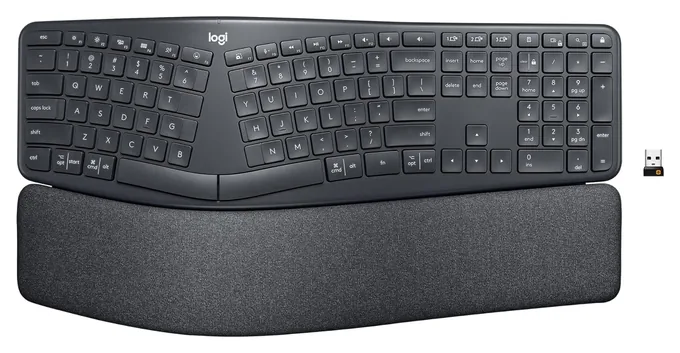
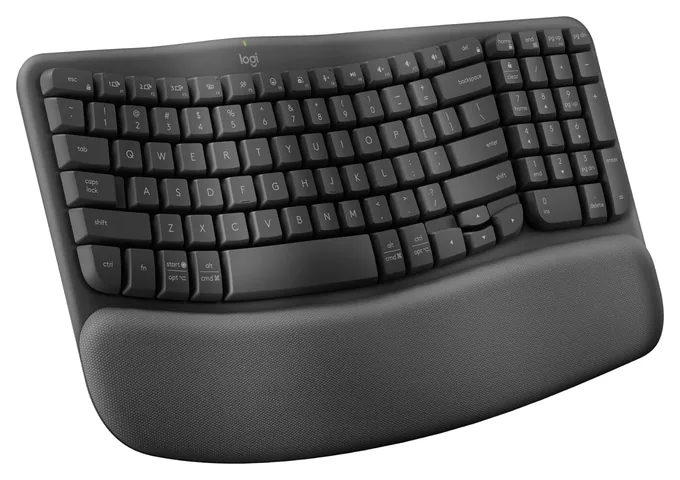
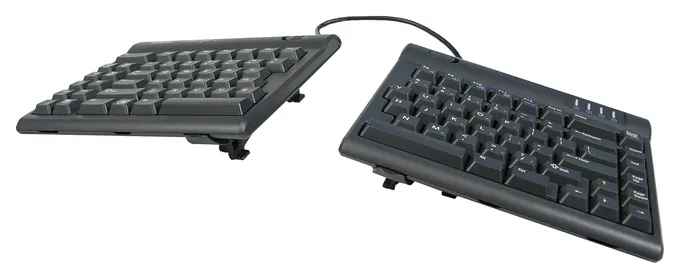
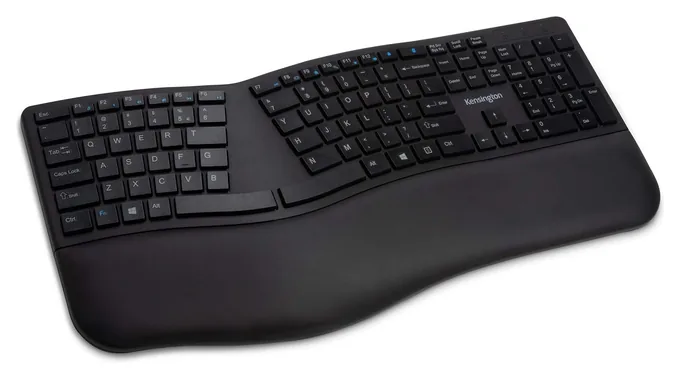
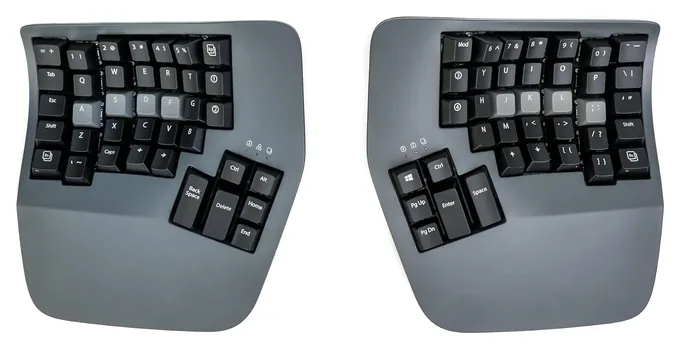
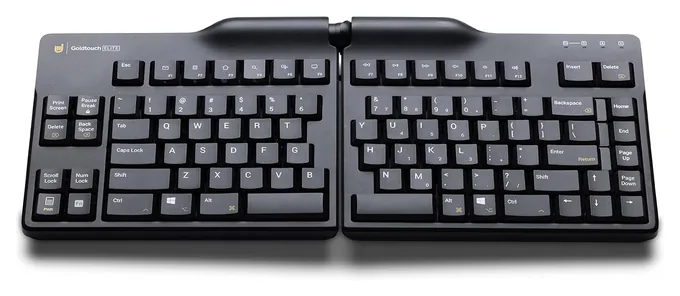
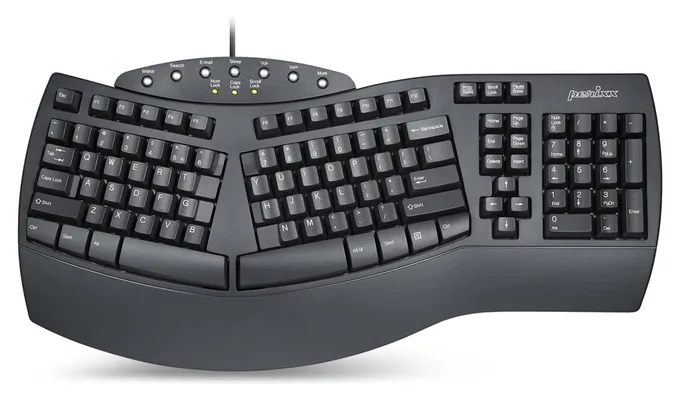
There are three main styles. A wave keyboard keeps a normal layout and just curves the rows, which is the gentlest change. A one-piece split divides the keys over a raised hump and usually adds a palm rest and a number pad. A fully separate split lets you set the width and angle yourself, and the most advanced ones add tenting, straight columns and thumb keys. RTINGS' side-by-side of two Logitech boards shows how much the feel differs even within one brand.
If you have never used one, start with a wave or one-piece split. Move to separate halves if you still want a wider stance or more tilt.
How long it takes to get used to one
A wave keyboard takes a day or two. A one-piece split usually takes about a week, mostly because many touch typists hit B or 6 with the "wrong" hand, and those keys now sit on the other side of the gap. Expect a few days of typos while your fingers sort it out.
Boards with straight columns and thumb keys are a bigger jump. Many people need several weeks to get back to full speed, and enthusiast forums describe a transition of a month or more. Fatih Arslan's long review of the Advantage360 gives a frank picture of that learning period.
A few habits help: use the new board for an hour or two a day at first, keep your old keyboard nearby for deadline days, and run short typing drills rather than learning on a manuscript. Keep in mind that a keyboard is not a medical device. If typing hurts, see a doctor or physical therapist instead of counting on new hardware to fix it.
Desk setup, connections and Mac or Windows
Placement matters as much as shape. Set the keyboard at or slightly below elbow height with your shoulders relaxed, keep the mouse close beside it, and put the screen at eye level. A keyboard tray often helps more than a pricier board. Popular Science's guide compares wave, split and compact boards if you want a second opinion.
Wireless boards keep a desk tidy and can switch between a laptop, tablet and phone, but most run on disposable batteries. Wired boards never need charging and work the moment you plug them in, including at a login screen.
Check the key labels before you buy. Some boards print both Windows and Mac labels, some have a switch on the back, and some come in a separate Mac edition with Command and Option keys. Any keyboard works with any computer, but mismatched labels are annoying for daily shortcuts.
If you would rather have a retro feel than a split, see our typewriter keyboard picks, and for more ideas for the writer in your life, browse our gifts for writers.
Frequently asked questions
Is an ergonomic keyboard worth it for writers?
If you type for hours a day, often yes. A split, curved or tilted board lets your wrists sit straighter and your shoulders relax, which many writers find more comfortable over a long session. It won't fix a poor desk setup, so pair it with a chair, screen and keyboard height that fit you.
How long does it take to get used to an ergonomic keyboard?
A wave-shaped board takes a day or two, and a one-piece split usually takes about a week. Fully separate halves with straight key columns and thumb keys can take several weeks to a month or more before you're back to your old speed. Short daily sessions make the switch easier.
Can an ergonomic keyboard prevent carpal tunnel syndrome?
No keyboard can promise that, and none of these is a medical device. What an ergonomic board can do is keep your wrists straighter and your arms in a more relaxed position while you type. If you have pain, numbness or tingling, see a doctor or physical therapist.
Is a split keyboard better than a wave keyboard?
A split keyboard straightens your wrists more because it lets your hands sit farther apart, and separate halves let you choose the width. A wave keyboard is a smaller change with almost no learning curve. Start with a wave if you're unsure, and move to a split if you want more.
Do ergonomic keyboards work with a Mac?
Yes. Almost any keyboard works with a Mac, but key labels vary. The Logitech Ergo K860 prints both Windows and Mac labels, the Goldtouch Elite has a PC/Mac switch, and Kinesis sells a Mac Freestyle2. Logitech also sells a Wave Keys for Mac with Mac labels that connects over Bluetooth only.
What is keyboard tenting?
Tenting raises the inner edges of a split keyboard so the two halves slope down toward the outside, like a tent. Your palms turn toward each other instead of lying flat, which keeps your forearms from twisting. Most tenting keyboards offer a few angles, and it's best to start low.
Prices were checked on Amazon on October 23, 2026 and change often.
As an Amazon Associate, Speedwrite earns from qualifying purchases. We choose every pick ourselves; brands don't pay to be listed.