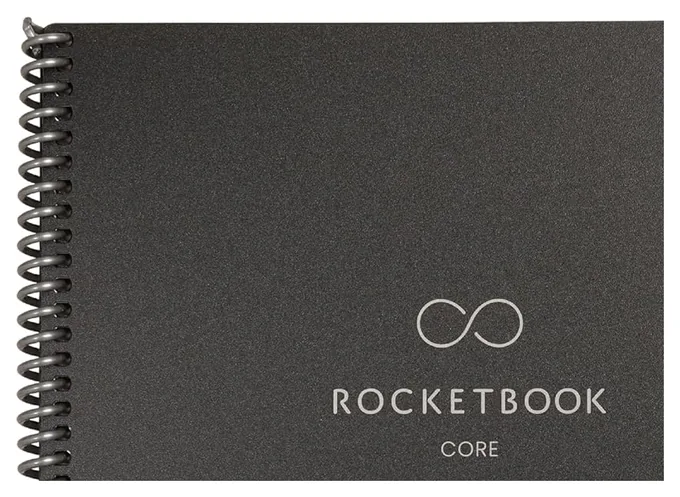
Our top pick is the Rocketbook Core, a reusable notebook whose pages you scan with your phone and wipe clean. We also compare the Rocketbook Fusion, Pro and Mini, plus smart pens and folios that copy ink from ordinary paper to your phone. As an Amazon Associate, Speedwrite earns from qualifying purchases.
Reusable notebooks have slick pages that take erasable gel ink, so you can scan a page with your phone, wipe it with a damp cloth and fill it again for years. Smart pens and folios work the other way, copying ink from ordinary paper to your phone as you write. Both suit students, list makers and meeting note takers.
The Rocketbook Core looks like an ordinary spiral notebook, but its slick pages take ink from the included FriXion pen and wipe clean with a damp cloth. Snap a page with the phone app and it lands in Google Drive, Dropbox or OneNote, named from a title box you fill in. It holds 32 dotted pages. Ink needs about 15 seconds to set, so left-handed writers can smear lines, and messy handwriting trips up the text search.
Planners who also jot notes get both in the Rocketbook Fusion, which mixes monthly and weekly calendar pages, a to-do list, a goal tracker and an idea list with plain lined and dotted sheets. Scan your week before wiping it, and the old plan stays saved in your cloud folder while the page starts fresh. The page mix is fixed, so anyone who wants all blank pages should skip it, and the soft cover scuffs with daily use.
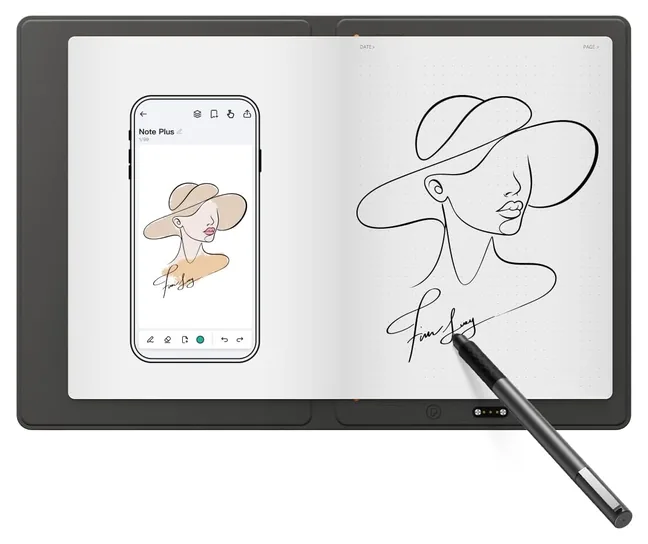
If you'd rather write in ink on plain paper, the XPPen Note Plus hides a pen sensor under a folio that holds any notepad of the same size, so each stroke shows up on your phone as you write. Away from the phone, it saves pages and syncs them later. Parkablogs found its handwriting-to-text conversion about 95% accurate, and a charge lasts about 14 hours. Only its own pen registers, and your notes live in the maker's app.
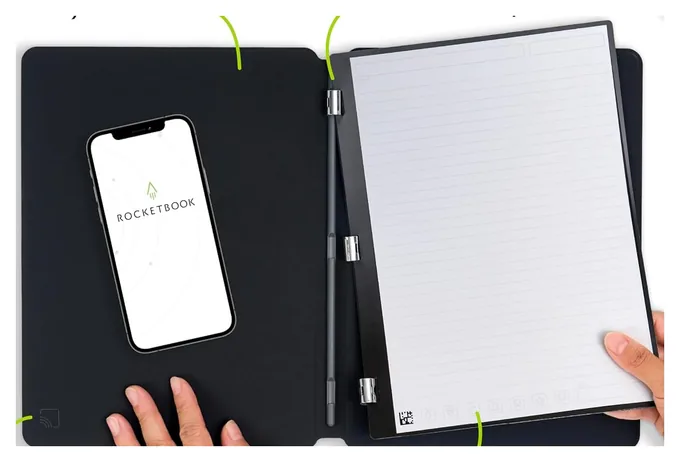
Office workers who want something sturdier should look at the Rocketbook Pro, which wraps wipe-clean pages in a stiff vegan leather cover that folds flat or all the way back. Its 40-page pack of lined and dot-grid sheets clicks in with magnets, so planner packs, sold separately, can replace it without a new cover. Tapping your phone on the cover opens the scanning app. The pages still need FriXion pens, and the hard cover adds bulk.
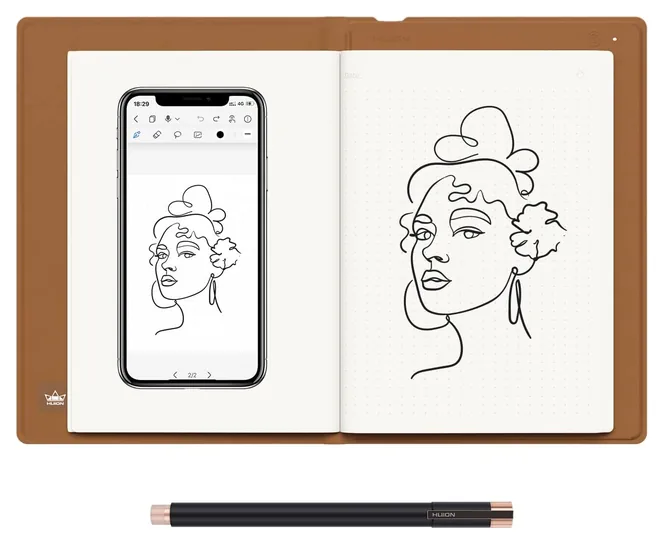
Sketchers get two tools in the Huion Note: a brown folio that copies whatever you draw on its paper pad to your phone, and a pen tablet for drawing apps once you plug it into a computer. It can record audio alongside your notes, then replay a page stroke by stroke as a video. A charge lasts about 18 hours. The folio feels delicate, so it needs some care in a crowded backpack.
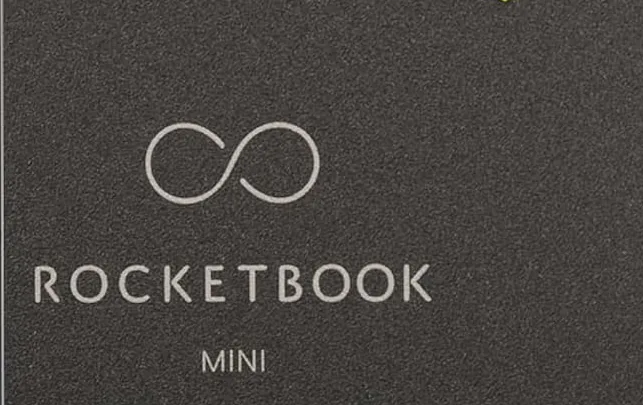
Small enough for a back pocket, the Rocketbook Mini flips open from a spiral at the top like a reporter's pad, and its 48 dotted pages scan and wipe clean just like a full-size notebook. A FriXion pen and a cleaning cloth come with it, which makes it a handy stocking stuffer for list makers. The pages are tiny, though, so it suits grocery lists and quick reminders far better than lecture notes or long meetings.
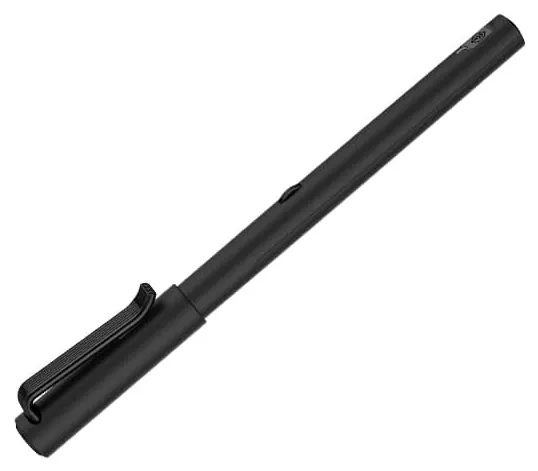
Anyone who wants just a pen should consider the Neo Smartpen M1+, a real ballpoint with a tiny camera near the tip that reads a faint dot pattern on special paper and sends your writing to a phone app as you go. It remembers about 1,000 pages when the phone isn't nearby and runs about 14 hours per charge. It works only on Neo's dotted notebooks or pages printed from its files, and syncing can be fussy.
There are two ways to get handwriting onto your phone without retyping it. Reusable notebooks such as Rocketbook use smooth synthetic pages that hold erasable gel ink. You photograph each page with a free app, which straightens the image and files it in the cloud, and then wipe the page clean with a damp cloth. They're cheap and need no charging, but you only get a picture of what you wrote, not a live copy.
Smart pens and folios capture every stroke as you write on ordinary paper. Folios hide a sensor under the pad and work with a battery-free pen, while pens like Neo's use a tiny camera that reads a dot pattern printed on the page. You keep the paper, and the digital copy can be edited, replayed or turned into text. They cost more, need charging and tie you to one maker's app.
If you'd rather write on a screen, our best note-taking tablets covers e-ink slates such as the reMarkable and Kindle Scribe.
Pens, ink and paper
Rocketbook pages need Pilot FriXion pens, highlighters or markers, the erasable kind sold at most office stores. Ordinary ballpoints and gel pens may never wipe off. FriXion ink takes about 15 seconds to bond, so left-handed writers should let each line dry or pick a top-bound pad, a point iMore's review raised about smudging. FriXion ink also turns clear when heated, so don't leave unscanned pages in a hot car.
Smart pens have their own needs. The XPPen folio takes any notepad of the same size, so refills are cheap and easy to find, but only its own pen registers. Huion's folio ships with a pad and works the same way. Neo's pen writes with standard ink refills, yet it only digitizes on paper printed with its dot pattern, which means buying Neo or Moleskine smart notebooks or printing pages from the free files Neo provides.
Shopping for someone who writes a lot? Our gifts for writers has more ideas.
Apps, the cloud and handwriting search
The Rocketbook app sends scans to Google Drive, Dropbox, Evernote, OneNote, Slack, iCloud and email. Each page has a row of small symbols along the bottom: assign a destination to each one, mark a symbol before you scan, and the page goes there on its own. A title box at the top names the file, and newer Core pages add spots for tags too. The app also turns handwriting into searchable text, which works well on neat print and poorly on rushed scrawl.
Pen-based notebooks keep notes inside their own apps first. XPPen, Huion and Neo all export pages as images or PDFs, and Huion and Neo can save a replay of your strokes. The XPPen and Neo apps also convert handwriting to text, though accuracy depends on how clearly you write; Parkablogs measured about 95% on the XPPen.
Before buying, check that the app supports your phone and the cloud service you already use.
How we researched this
We compared nearly 20 reusable notebooks, smart pens and LCD writing pads, then narrowed the field using reviews from iMore, CrackBerry, SlashGear, Parkablogs, Creative Bloq and others, plus maker spec pages. We checked each Amazon listing on Oct. 23 for price, stock, what's in the box and compatible pens and paper, and weighed common complaints such as smudging and app glitches. Pads that erase without saving pages, unbranded pen sets and aging smart pens were left out.
You write on its synthetic pages with a Pilot FriXion pen, then open the free Rocketbook app and photograph the page. The app crops it, names it from the title box and sends it to the cloud service you chose. When you're done with the page, wipe it with a damp cloth and write on it again.
What pens can you use in a Rocketbook?
Use Pilot FriXion pens, highlighters and markers, which are erasable and sold at most office supply stores. One pen comes in the box. Regular ballpoint, gel or permanent ink can stain the pages so they never wipe fully clean. Give FriXion ink about 15 seconds to set before touching it.
Are Rocketbooks good for left-handed people?
They work, but smudging is the common complaint, because FriXion ink stays wet for several seconds on the slick pages. Writing a little slower, letting each line dry or choosing a top-bound pad such as the Rocketbook Mini helps. Rocketbook also markets its Flip model to left-handed writers.
Can a smart notebook turn handwriting into text?
Yes. The Rocketbook, XPPen and Neo apps all convert handwriting to searchable text. Accuracy depends on your writing: clear print converts well, while rushed cursive and cramped notes come out with errors you'll need to fix. Diagrams and sketches stay as images.
Do smart pens work on any paper?
It depends on the type. Folios such as the XPPen Note Plus and Huion Note read the pen through the pad, so any paper of the right size works, as long as you use their pen. Camera pens such as the Neo Smartpen M1+ need paper printed with a special dot pattern.
Is a smart notebook better than an e-ink tablet?
A reusable notebook costs far less, never needs charging and feels closer to paper, but you have to scan each page. An e-ink tablet saves notes as you write, lets you erase and move things around and holds thousands of pages. See our best note-taking tablets page if you want a screen.
From the makers of this page
Drafting with ChatGPT or Claude? Make it sound like you.
Speedwrite rewrites AI drafts one paragraph at a time into fresh, natural writing, with a new version every time you press Predict.
Prices were checked on Amazon on October 23, 2026 and change often.
As an Amazon Associate, Speedwrite earns from qualifying purchases. We choose every pick ourselves; brands don't pay to be listed.