Speedwrite Writer's gear

The 10 Best Note-Taking Tablets

We may earn a commission when you buy through links on this page.

Our top pick is the reMarkable Paper Pro, a color e-ink writing slate that feels close to paper and keeps notes neatly organized. The list also covers Kindle Scribe models, Android-based Boox options, a pocket-size reMarkable, an iPad Air and a reusable paper notebook. As an Amazon Associate, Speedwrite earns from qualifying purchases.

E-ink writing tablets use the same matte, glare-free screen as an e-reader, so a pen moves with a slight paper-like drag and one charge lasts weeks instead of a day. They suit students, meeting-heavy workers and anyone who thinks better by hand but still wants notes that are searchable, backed up and simple to share.

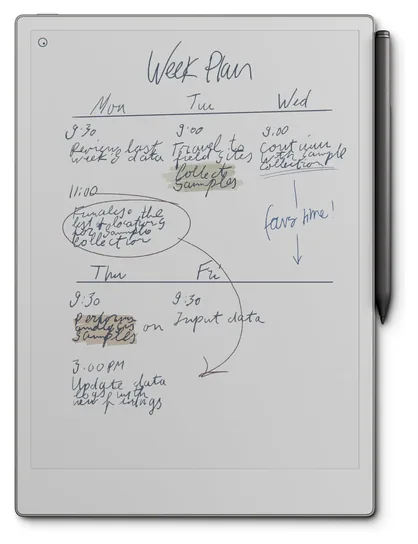
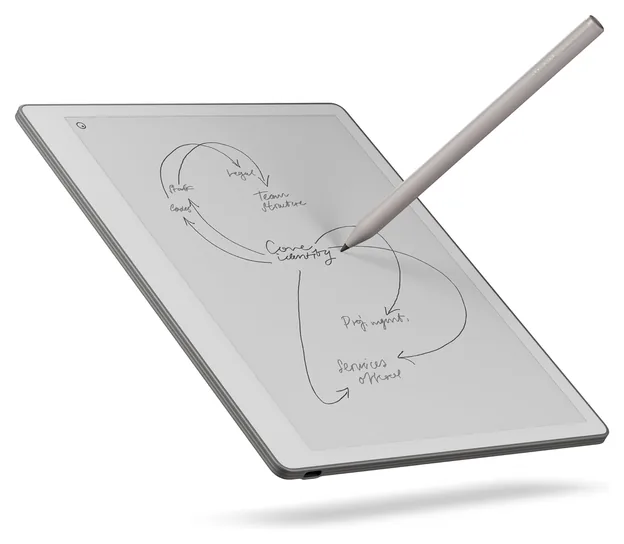
1 reMarkable Paper Pro

Best overall

Writing on the reMarkable Paper Pro feels close to pen on paper, with a gentle drag under the tip and a roomy color e-ink page lit by an adjustable reading light. The pen has an eraser on top, folders and tags keep notebooks tidy, and handwriting turns into typed text. There's no app store or browser to pull you away. Searching your handwriting needs an optional paid subscription, and the screen can be slow to refresh.

  • eraser on the pen
  • adjustable reading light
  • no apps to distract

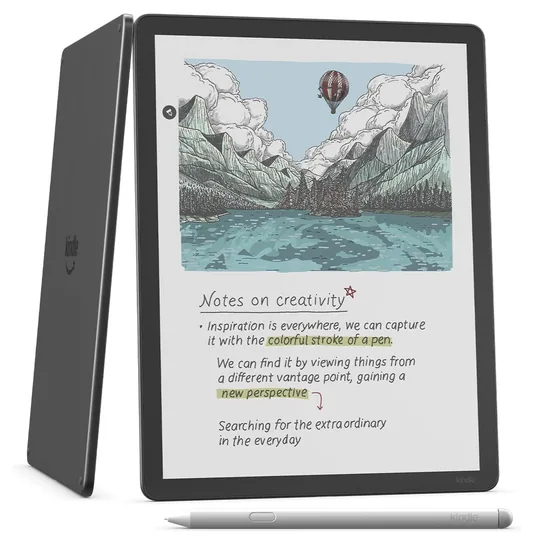
2 Kindle Scribe Colorsoft

Best color e-ink

If you read Kindle books and want to mark them up in color, the Kindle Scribe Colorsoft fits the bill. Highlights and sketches show in soft color on a big glare-free, front-lit screen, and the pen never needs charging. Built-in AI tools can sum up a notebook or answer questions about what you wrote. Color pages can take a second or two to fill in, and marking up book text feels clumsy at times.

  • color highlighting
  • AI summaries of notes
  • pen never needs charging

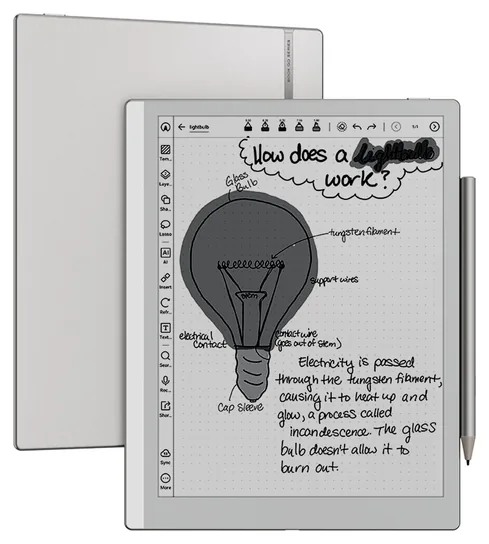
3 Boox Note Air6 C

Best for Android apps

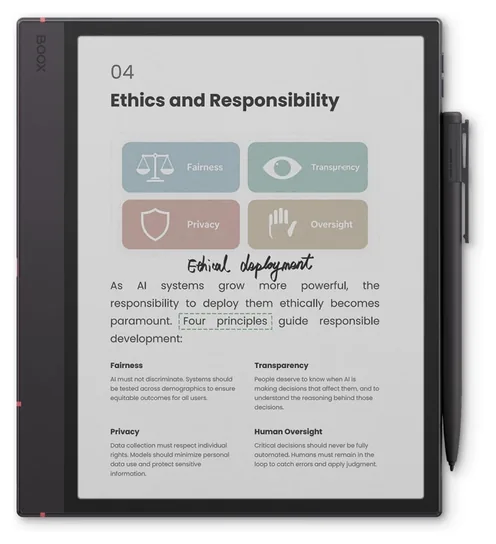
Because the Boox Note Air6 C runs Android, you can install the reading, writing and cloud apps you already use, from Kindle to OneNote. Its color e-ink screen has a warm and cool front light, the pen clings to the side with a magnet and runs without a battery, and a memory card slot adds storage. Color looks muted and softer than black text, and some apps lag on e-ink.

  • installs Android apps
  • memory card slot
  • fingerprint power button

4 Kindle Scribe

Best for Kindle readers

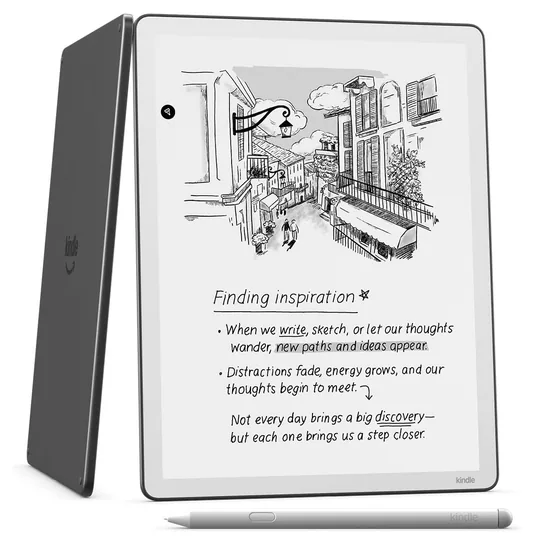
Kindle readers will feel at home on the Kindle Scribe, which pairs the bookstore with a black-and-white screen and a front light that sets its own brightness and turns warmer at night. You can write between the lines of a book as the text moves aside, mark up PDFs from cloud drives and send notebooks to OneNote. The pen needs no charging and has an eraser on top. Notebook features stay fairly basic, and there's no color.

  • Kindle store built in
  • auto-adjusting light
  • sends notes to OneNote

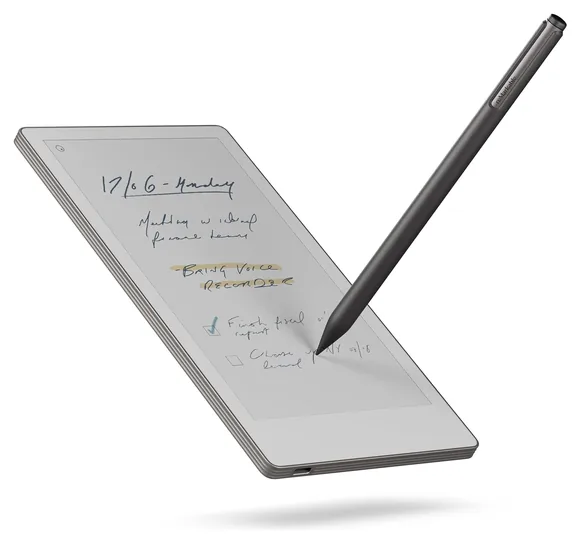
5 reMarkable Paper Pro Move

Best pocket size

Smaller than a paperback, the reMarkable Paper Pro Move slips into a jacket pocket and still gives you a 7-inch color e-ink page with a reading light. It keeps a calm, app-free design, turns handwriting into typed text and syncs notes to phone and computer apps, and the included pen has an eraser on top. Full-size PDFs feel cramped on a screen this small, and handwriting search costs extra.

  • fits a jacket pocket
  • syncs to phone and laptop
  • handwriting to text

6 reMarkable Paper Pure

Best value

For focused black-and-white writing at a gentler price, the reMarkable Paper Pure is a smart buy. Its screen has bright white pages and strong contrast, ink shows up the instant the pen moves, and it pulls in files from Google Drive, Dropbox and Word. Notes convert to typed text and can go out by email. The included pen has no eraser end, and there's no color.

  • ink appears instantly
  • imports from Dropbox and Word
  • email notes

7 Boox Go 10.3 Gen II Lumi

Best black-and-white Android

Thin, light and sharp, the Boox Go 10.3 Gen II Lumi puts a crisp black-and-white screen with a warm and cool front light on an open Android system. Your favorite reading and cloud apps install the way they would on a phone, and text stays clear through long PDFs and books. A pressure-sensitive pen comes in the box. That pen needs charging, and busy apps can feel sluggish on e-ink.

  • thin and light
  • warm and cool front light
  • built-in speakers

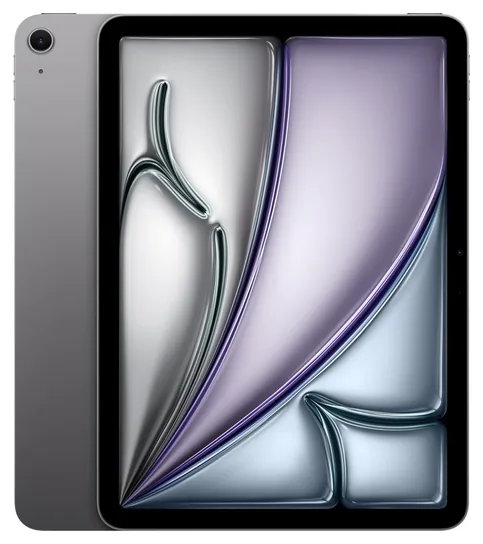
8 Apple iPad Air

Best regular tablet

Anyone who wants one device for notes, video calls, email and games can lean on the Apple iPad Air, with its fast chip and sharp, bright color screen. Note apps such as Goodnotes and Notability are polished, and the Apple Pencil writes smoothly. The pencil is sold separately, so budget for it. Glossy glass feels slick under the tip, and the battery needs charging every day.

  • huge app library
  • bright color screen
  • works with a keyboard

9 iFlytek Ainote Air 2

Best for meetings

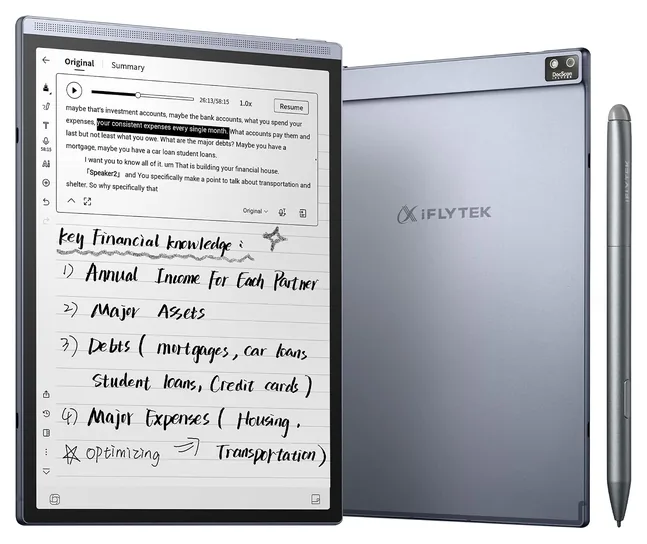
Meetings are where the iFlytek Ainote Air 2 earns its place. It records and transcribes speech as people talk, writes a short summary of the discussion afterward and can translate between many languages. The compact e-ink page is comfortable to hold in one hand, with a warm and cool reading light. Page turns and scrolling feel choppy, and the software has rough spots that need patience.

  • live voice transcripts
  • meeting summaries
  • translates speech

10 Rocketbook Core

Best paper notebook

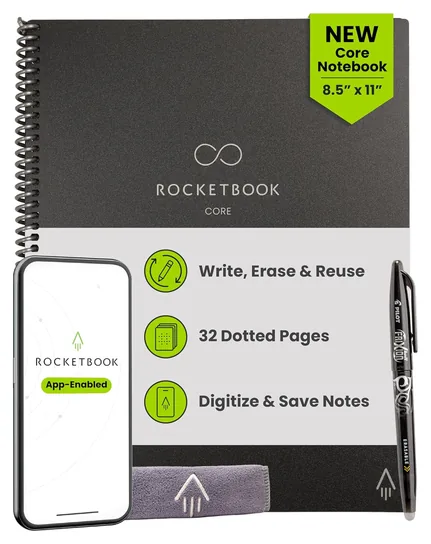
The Rocketbook Core is a spiral notebook with reusable pages and an erasable pen, and that's the whole trick. Write as usual, snap each page with the free phone app to send it to Google Drive, Dropbox or OneNote, then wipe the pages clean with a damp cloth. There's no battery or screen to fuss over. Ink smudges if you touch it too soon, and every page needs a phone scan.

  • wipes clean with water
  • no charging ever
  • letter-size pages

Buyer's guide

E-ink or a regular tablet?

An e-ink screen reflects room light the way paper does instead of shining at you, so it stays readable in sunshine and is gentle on tired eyes. A pen on matte e-ink glass has a slight drag that feels closer to writing on paper, and with no app store or alerts on most models, it's simpler to stay on task. Battery life runs to weeks, not hours.

The tradeoffs are speed and color. Pages refresh with a brief flash, scrolling is choppy, and color e-ink looks soft, like a newspaper photo. A regular tablet such as an iPad has a bright, fast screen and a huge choice of note apps, but its glossy glass feels slick and it needs a charge most nights. The Gadgeteer's note-taking roundup weighs the same trade: e-ink for focused writing and reading, an iPad if you also want video, drawing apps and everything else a tablet does.

Color or black-and-white?

Most color e-ink screens are a black-and-white panel with a color filter on top. As The eBook Reader explains, text stays nearly as crisp as on a plain e-ink screen, but color shows at about half the sharpness and looks muted. Another type mixes colored ink particles directly, which gives richer color but slower page changes and a yellower, less white page.

Color earns its keep for highlighting, color-coded notes, charts and marked-up slides. If you mostly write words and read books, black-and-white is crisper, usually cheaper and often a little quicker under the pen.

Size matters as much as color. A 10- to 12-inch screen shows a letter-size PDF at a readable size, while a pocket-size model suits lists and meeting notes better than full documents. If you write in dim rooms or on planes, make sure the screen has a front light.

Pens, software and extra costs

Check what comes in the box. The reMarkable and Kindle pens and the Boox Pen3 need no charging, while the Apple Pencil and some Boox styluses do. An eraser on the top of the pen saves trips to a menu, and tips wear down over time, so spares in the box help.

Software splits into two camps. Closed systems from reMarkable and Amazon are simple, polished and free of distractions, but you can't add apps. Android-based models from Boox and others run the apps you know, including Kindle and OneNote, at the cost of a fussier setup and slower apps.

Finally, count the running costs. reMarkable's Connect plan is optional: TechRadar's review notes that handwriting conversion and links to Google Drive, Dropbox and OneDrive work without it, while extras such as searching your handwriting need the plan. Kindle and Boox models need no subscription, and an iPad needs an Apple Pencil bought separately.

How we researched this

We started from the searches buyers make for writing tablets and digital notebooks, then read reviews and comparisons from tech publications and e-paper specialists, including The Gadgeteer, Tom's Guide, TechRadar and The eBook Reader. We checked each pick's current Amazon listing for price, stock, what's in the box and maker specs, set aside models Amazon US can't ship, and weighed recurring owner complaints such as slow color refresh, pens that need charging and subscription costs.

Sources (14)
  1. The Gadgeteer: Best tablet for note-taking 2026
  2. Tom's Guide: Kindle Scribe Colorsoft vs. reMarkable Paper Pro, which is best for you
  3. Tom's Guide: Kindle Scribe Colorsoft (2025) review
  4. Expert Reviews: Kindle Scribe Colorsoft review
  5. Stark Insider: Kindle Scribe Colorsoft review
  6. The eBook Reader: New Kindle Scribe Colorsoft and two new black-and-white Scribes unveiled
  7. TechRadar: reMarkable Paper Pro Move review
  8. Liliputing: reMarkable Paper Pro Move is a smaller color E Ink writing tablet
  9. E-Ink Info: reMarkable Paper Pro
  10. Creative Bloq: The best E Ink tablets
  11. The eBook Reader: Color E Ink Kaleido screens are black-and-white Carta screens
  12. The eBook Reader: Gallery 3 screens look surprisingly bad compared to Carta screens
  13. Parkablogs: iFlytek AINOTE Air 2 note-taking e-reader tablet review
  14. Mighty Gadget: iFlytek AINOTE Air 2 review, E Ink tablet with live voice transcription

Frequently asked questions

Is an e-ink tablet better than an iPad for taking notes?

For writing and reading, often yes. E-ink is matte, easy on the eyes and lasts weeks per charge, and fewer apps mean fewer distractions. An iPad wins if you also want video, color drawing and a huge app library, but it needs charging every day and the Apple Pencil costs extra.

Do you need a subscription to use a reMarkable?

No. A reMarkable works as a notebook and document reader without one, and handwriting conversion and links to Google Drive, Dropbox and OneDrive still work. The optional Connect plan adds extras such as searching your handwritten notes and fuller cloud backup. Kindle Scribe and Boox models need no subscription at all.

Is color e-ink worth it?

It's worth it if you color-code notes, highlight heavily or read charts and slides. Color e-ink looks soft and muted, color images show at lower sharpness than black text, and color pages can take longer to appear. For mostly plain writing and reading, a black-and-white screen is crisper and usually cheaper.

Can an e-ink tablet turn handwriting into typed text?

Yes. reMarkable, Kindle Scribe, Boox and iFlytek models all convert handwriting to typed text, and some can search handwritten notes or summarize them with AI. Accuracy depends on how neat your writing is, so expect to fix a few words, especially names, numbers and messy cursive.

Can you read Kindle books on a reMarkable or Boox?

On a Boox, yes: it runs Android, so you can install the Kindle app along with other reading apps. A reMarkable can't run the Kindle app; it reads PDFs and e-books without copy protection that you send to it. If your library lives in Kindle, a Kindle Scribe keeps everything in one place.

How long does an e-ink tablet battery last?

Usually weeks with daily writing and reading, because e-ink uses power mainly when the page changes. A bright front light, constant Wi-Fi syncing, audio recording and Android apps all shorten that. A regular tablet like an iPad is built for about a day of use, so plan on charging it nightly.

From the makers of this page

Drafting with ChatGPT or Claude? Make it sound like you.

Speedwrite rewrites AI drafts one paragraph at a time into fresh, natural writing, with a new version every time you press Predict.

Prices were checked on Amazon on October 19, 2026 and change often. As an Amazon Associate, Speedwrite earns from qualifying purchases. We choose every pick ourselves; brands don't pay to be listed.