Our top pick is the Epomaker Glyph, a wireless retro keyboard with round keys, status screens and swappable switches. We also cover premium metal models, iPad-friendly boards with built-in stands, budget wired picks, a quiet membrane option and a matching keyboard-and-mouse set. As an Amazon Associate, Speedwrite earns from qualifying purchases.
A typewriter keyboard is a normal computer keyboard dressed in round, often chrome-ringed keys, sometimes with a return lever or tablet stand; nothing inside works like an old typewriter. The switches decide whether it clacks or taps, and the connection decides what it pairs with. These boards suit writers, iPad users and anyone who wants a vintage-looking desk.
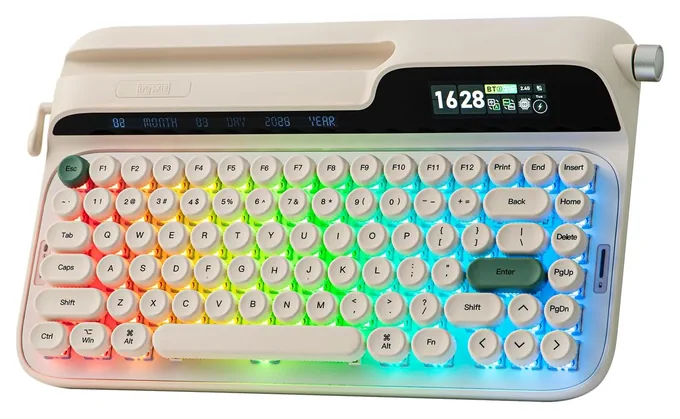
The Epomaker Glyph mixes round typewriter keys with modern touches: two little screens for the time and battery, a volume knob, a phone groove and a wrist rest. It connects by cable, Bluetooth or a tiny dongle, and its smooth switches pull out for a swap without solder. Tom's Guide called it the most absurd and wonderful keyboard its reviewer had typed on. The body sits high with little tilt, and bright lighting drains the battery fast.
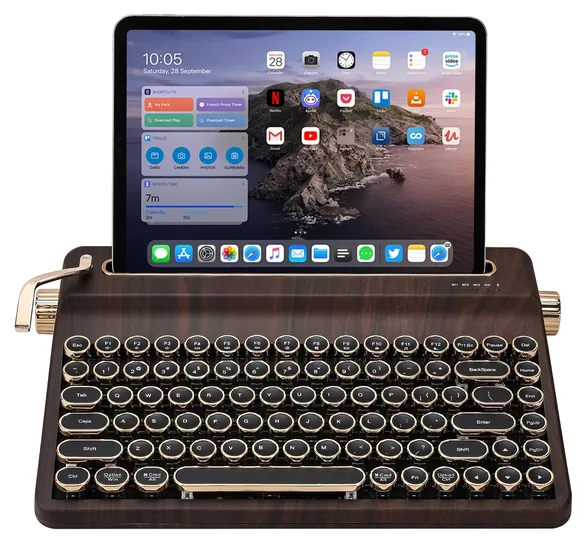
For the vintage look on a smaller budget, the Yunzii QL75 sets gold-ringed round keys in a wood-grain case with a return lever and a slot that holds a tablet upright. It pairs with up to five devices by Bluetooth, dongle or cable, and free tools let you remap keys. This version uses tactile switches with a soft bump, and they pull out for swapping. It's heavy, so it lives on a desk rather than in a bag.
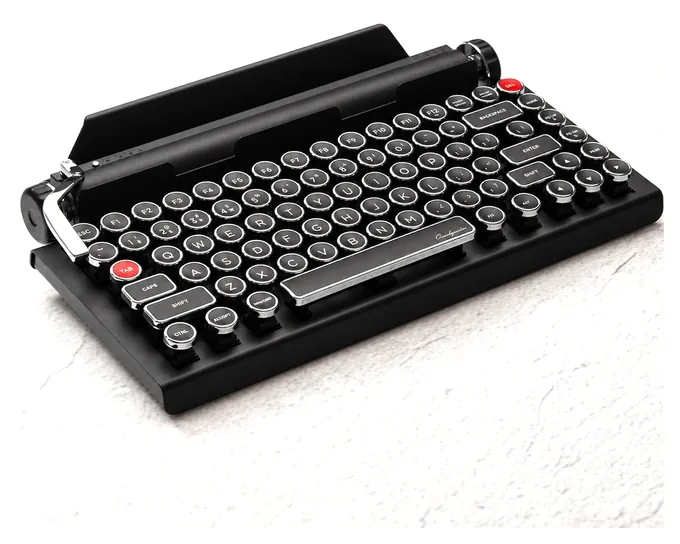
Styled after an old desk typewriter, the Qwerkywriter 2 pairs an aluminum body with chrome-ringed keys, two scroll knobs and a metal return bar that types Enter or a short saved phrase. A built-in stand holds most tablets, and it connects by Bluetooth, dongle or cable. Its clicky switches swap out without solder, but as shipped they're loud enough to bother anyone nearby, and the whole thing is heavy and pricey.
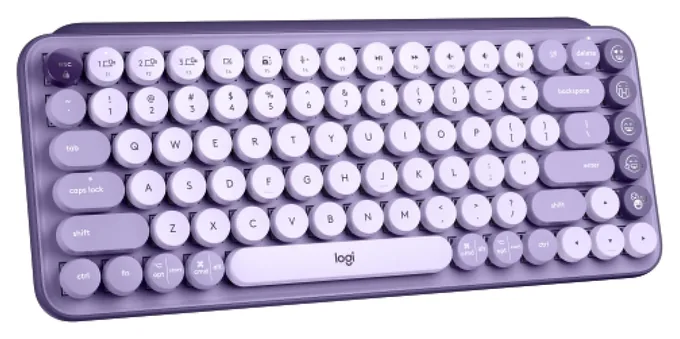
Bright colors and swappable emoji keys give the Logitech Pop Keys its fun streak, and its round keys carry both Mac and Windows labels. It hops among three devices at a tap, such as a Mac, an iPad and a phone, and its AAA batteries last up to three years. Those round keys sit close together, so expect missed letters for a while, and nothing here recharges.
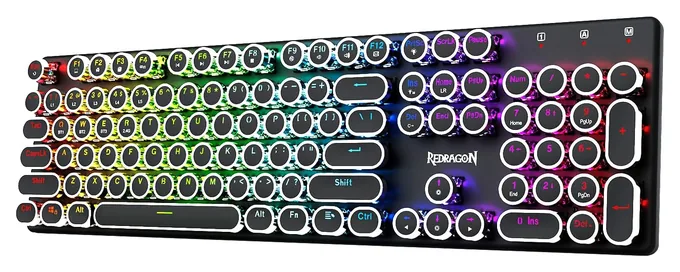
The Redragon K710 brings the round-key look to a full-size board with a number pad, rainbow lighting and a metal top plate. It connects by cable, by Bluetooth to up to three devices or through a small dongle, and it recharges instead of eating batteries. Its blue switches click loudly with every press, which suits a home office far better than a shared one.
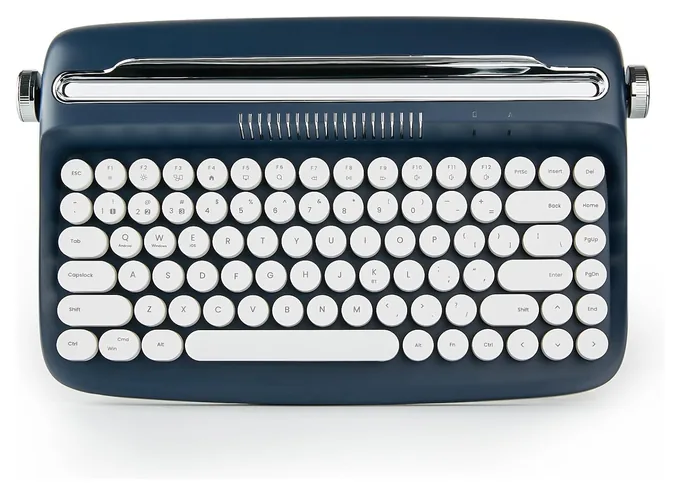
For iPad typing on a small budget, the Yunzii Actto B303 has a groove along the back long enough to prop up a big tablet or a phone, and it comes in deep blue or soft pastel shades. It pairs with three devices over Bluetooth and runs on AAA batteries. Under the round caps sit soft membrane keys rather than mechanical switches, so it's quiet but feels mushier and lacks the typewriter clack.
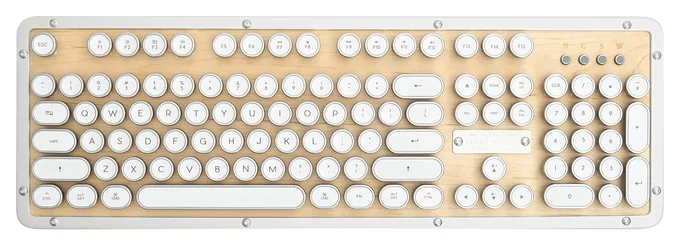
A real maple top in a chrome-plated metal frame makes the Azio Retro Classic look like an heirloom on a desk. It works over Bluetooth or a cable, comes with spare Mac keycaps and a switch that flips between Mac and Windows, and one charge can last up to a year with the backlight off. Its clicky switches are loud, though, and the feet don't tilt it much.
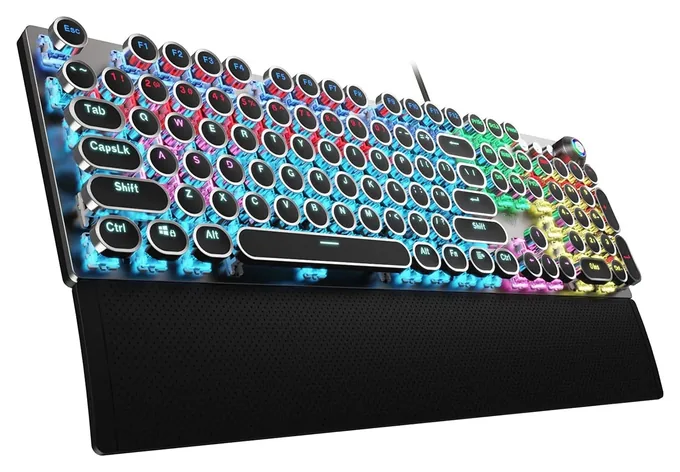
Built with gamers in mind, the Aula F2088 pairs round, backlit keys with a magnetic wrist rest, a metal top plate and a knob for volume and lighting. Every key registers when you press several at once, and the full layout keeps a number pad for spreadsheets. It works by cable only, with no Bluetooth for a tablet or phone, and its clicky blue switches are loud enough to carry across a room.
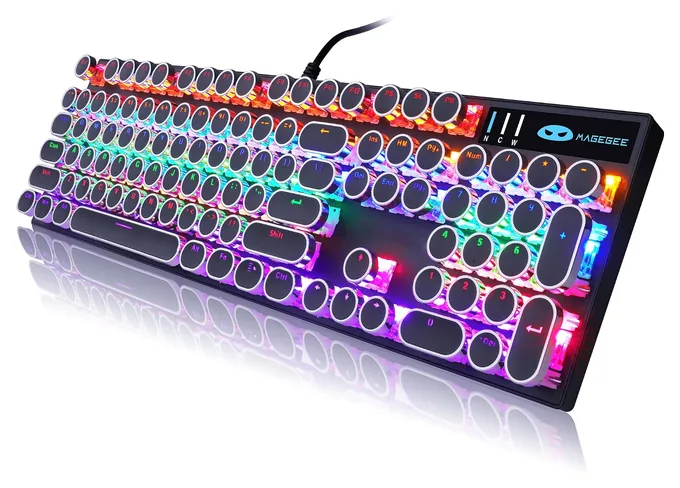
On a tight budget, the Camiysn Retro Punk still gets you real mechanical switches under round keys, plus rainbow lighting and a full number pad. Letters are molded into the caps rather than printed, so they won't rub off, and it works on Windows, Mac or Linux with no setup. The board wears a MageGee logo, the seller's name. Its blue switches are loud, it's wired only, and there's no wrist rest.
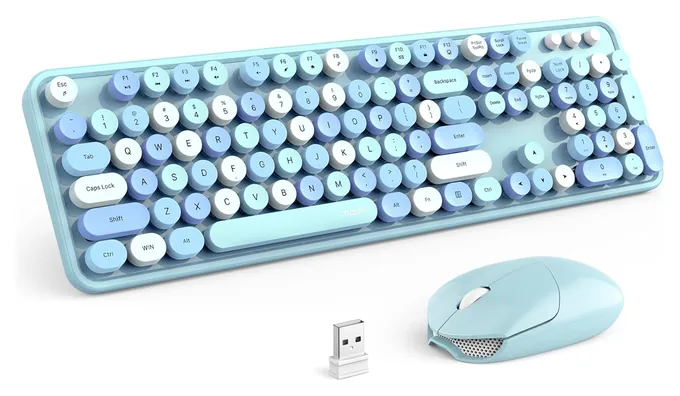
The Mofii Retro Combo is a matching set: a full-size keyboard with round keys and a rounded mouse in candy colors, both running off one tiny USB receiver. It's a cheerful pick for a kid's room, a dorm or a cute home office. The keys are soft membrane, not mechanical, so they're quiet but miss the typewriter click, and with no Bluetooth it won't pair with an iPad or phone.
Nearly every board here hides ordinary keyboard parts under its round caps, so the switch type decides how it sounds and feels. Blue or clicky switches snap with a sharp click on each press, the closest match to a typewriter's clatter. PCWorld called the Azio Retro Classic's switches clicky, loud and deeply satisfying, and The Gadgeteer's reviewer liked his Qwerkywriter's click while his wife found it irritating.
Tactile switches give a soft bump without the click, and linear switches glide straight down; both suit a shared office or late-night writing better. A few cheap boards use membrane keys, which are quieter and softer but feel mushier. If you can't decide, look for hot-swap switches: you can pull them out and push in a different type later, with no soldering.
Round keys take a little practice
Round keycaps are the whole look, but they leave gaps between keys and less surface to aim at, so most people miss letters for a while. Generation Amiga found accuracy held up after a short adjustment period, while Retro Handhelds bumped the edges of keys more often and saw a small dip in typing speed.
Height matters too. Many retro boards are tall, with little tilt adjustment, so a wrist rest helps over long sessions; some include one in the box. Keys set in stepped rows, like an old typewriter, can feel more natural than a flat slab. If you type for hours each day, choose a board with a wrist rest and give yourself a week before you judge the feel.
Match the connection to your devices
Bluetooth is what you need for an iPad, a phone or a laptop with no spare ports, and many boards remember three or more devices and switch with a key press. A small USB dongle gives a steadier link to a desktop and suits gaming. Wired-only boards cost less and never need charging, but they stay put with one computer.
For tablet writing, a built-in stand or groove keeps the screen up at eye level; check that your tablet fits, especially in a thick case. Mac users should look for Mac labels, spare Mac keycaps or a Mac mode. The original Qwerkywriter had Command and Option swapped, a problem 9to5Mac says the later edition fixed, and Macworld noted that Azio ships Mac keycaps in the box.
How we researched this
We started from published reviews by outlets such as PCWorld, Macworld, 9to5Mac and enthusiast keyboard sites, plus maker spec sheets, to build a shortlist. On Oct. 19, 2026, we checked each pick's current Amazon listing for price, stock, seller, connection types and switch type, and studied the listing photos for build details. Where independent reviews were thin, we leaned on specs and on complaints that recur among owners, and we named each board's main weakness.
Does a typewriter keyboard work like a real typewriter?
No. It is a normal computer keyboard with typewriter styling: round keycaps, chrome trim and sometimes a return lever or bar. It connects by USB, Bluetooth or a dongle and types into any app. The lever on most models is decorative or acts as an Enter key, and nothing prints on paper.
Are typewriter keyboards loud?
Boards with blue or clicky switches are loud, with a sharp click on every press that can bother people nearby. Tactile and linear switches are quieter, and membrane boards are the quietest. If noise matters, choose a quieter switch or a board with swappable switches so you can change your mind later.
Can I use a typewriter keyboard with an iPad?
Yes, if it has Bluetooth. Many models also have a built-in stand or groove that holds a tablet upright behind the keys. Check the stand's width and depth against your iPad, especially if it lives in a case. Boards without Bluetooth are a poor fit for tablets.
Are round keycaps harder to type on?
At first, for most people. Round caps leave more space between keys, so fingers can slip into gaps or clip a neighbor. Reviewers describe a short adjustment period before accuracy returns. Stepped rows and a wrist rest help. If you type fast for work, expect a small slowdown during the first week.
Do typewriter keyboards work with a Mac?
Most do, over Bluetooth or USB. Look for Mac labels on the Command and Option keys, a Mac mode switch or spare Mac keycaps in the box. Without them the keys still work, but Command and Option may sit in swapped spots until you remap them in macOS settings.
Are typewriter keyboards good for gaming?
Some are. Wired boards that register many keys at once have no wireless lag, and several budget models are sold as gaming keyboards. Round caps are harder to find by feel in fast games, though, and many retro boards put looks ahead of speed. For wireless play, a USB dongle beats Bluetooth.
From the makers of this page
Drafting with ChatGPT or Claude? Make it sound like you.
Speedwrite rewrites AI drafts one paragraph at a time into fresh, natural writing, with a new version every time you press Predict.
Prices were checked on Amazon on October 19, 2026 and change often.
As an Amazon Associate, Speedwrite earns from qualifying purchases. We choose every pick ourselves; brands don't pay to be listed.