Speedwrite Writer's gear

The 8 Best Translation Earbuds

We may earn a commission when you buy through links on this page.

The top 5 translation earbuds: Timekettle W4 Pro, Timekettle M3, Apple AirPods Pro 3, Google Pixel Buds Pro 2 and Samsung Galaxy Buds 4 Pro

Our top pick is the Timekettle W4 Pro, AI translator earbuds you share with the other person that also translate phone and video calls. We also cover offline budget buds and AirPods, Pixel Buds and Galaxy Buds that translate, comparing languages, fees and battery life. As an Amazon Associate, Speedwrite earns from qualifying purchases.

Real-time translation earbuds lean on a phone for nearly everything, so the app, the phone you own and any per-minute fees matter as much as the buds. They suit travelers, visiting clients and mixed-language families, and they handle hotel desks, taxis, markets and small talk well, but short, clear sentences come through far better than long, fast ones.

1 Timekettle W4 Pro

Best overall

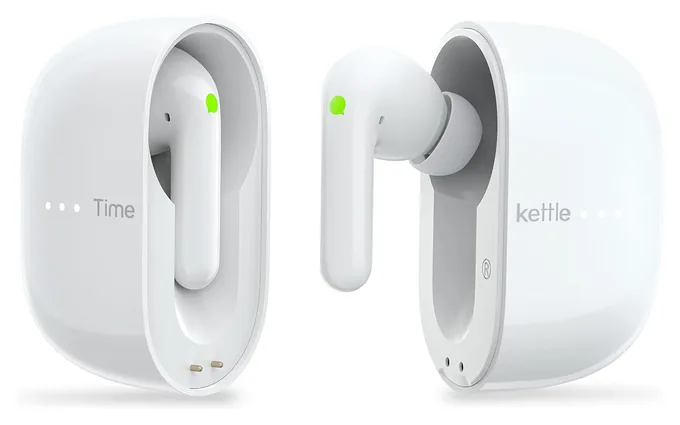
Give a bud to the person across the table, and the Timekettle W4 Pro lets each of you speak and listen in your own language through the Timekettle app on iPhone or Android. It also translates phone and video calls in dozens of languages and runs about six hours per charge. You get 300 free minutes a month before paying for more, and extra offline packs cost money. Replies lag a beat, and music sounds thin.

  • two-way talk, a bud each
  • translates phone calls
  • 300 free minutes monthly

2 Timekettle M3

Best for offline travel

Budget travelers get a lot from the Timekettle M3, which covers about 40 languages and works offline for about a dozen language pairs, with no charge for those packs and no subscription. Share a bud for a back-and-forth chat, or let your phone's speaker handle quick questions such as directions. Short, clear sentences come through nearly spot-on, but long, rambling ones lose meaning, and it won't translate phone calls or videos.

  • free offline packs
  • no subscription needed
  • speaker mode for quick asks

3 Apple AirPods Pro 3

Best for iPhone

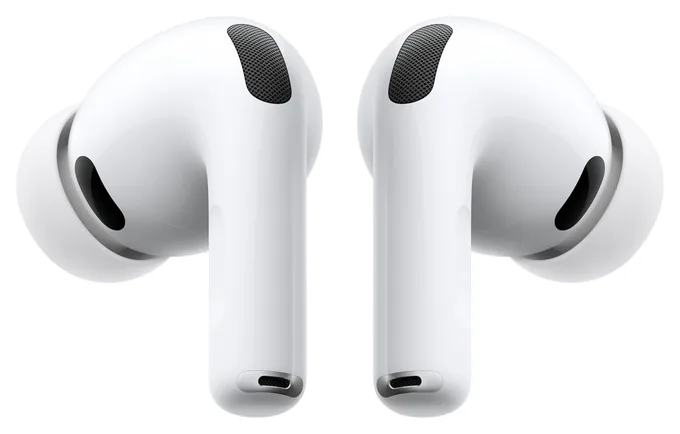
Owners of a recent iPhone can squeeze both stems on the Apple AirPods Pro 3 to start face-to-face translation, with no fee and no extra gadget. Noise canceling softens the other person's voice so you hear the translation, while they read your side on the iPhone screen. It needs an iPhone 15 Pro or newer and handles only nine languages, which work offline once downloaded. Names and long sentences trip it up, and calls aren't covered.

  • iPhone 15 Pro or newer only
  • offline after download
  • strong noise canceling

4 Google Pixel Buds Pro 2

Best for Android

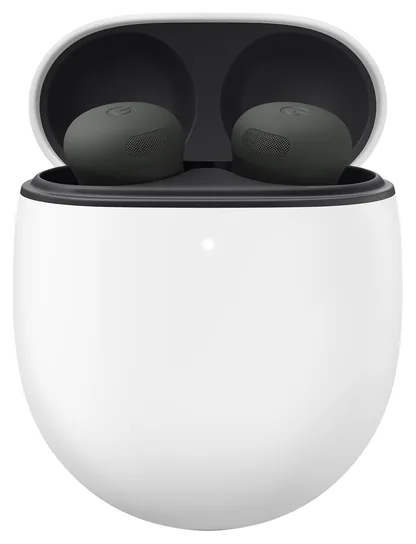
A tap on the Google Pixel Buds Pro 2 opens Google Translate's conversation mode on an Android phone, ideally a Pixel, covering dozens of languages at no charge. You speak and hear through the buds, and the phone shows and speaks your words for the other person. Offline use is limited to a handful of English pairs on a Pixel 9 or newer, it handles face-to-face chats rather than calls, and the fit can feel loose.

  • tap the buds to translate
  • dozens of languages
  • best with a Pixel phone

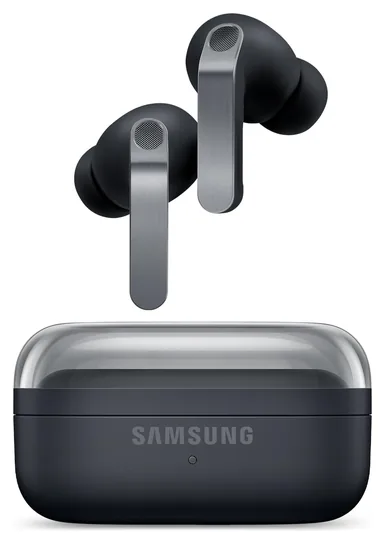
5 Samsung Galaxy Buds 4 Pro

Best for Galaxy phones

Pair the Samsung Galaxy Buds 4 Pro with a Galaxy phone that has Galaxy AI, and the phone's built-in interpreter plays translations in your ears while the other person reads or hears your side from the phone. It covers about 20 languages at no charge, on top of strong noise canceling and rich sound. Translations arrive after a pause and work better in quiet rooms, and the feature won't work with other phones or on calls.

  • Galaxy AI phones only
  • about 20 languages
  • two-year US warranty

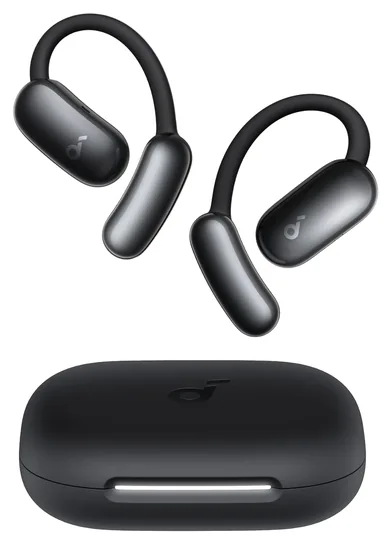
6 Soundcore AeroFit 2 AI

Best open-ear

Soft hooks that rest outside the ear make the Soundcore AeroFit 2 AI a comfortable all-day pair, and the free Soundcore app for iPhone or Android adds translation in what the maker says is about 100 languages. A face-to-face mode uses your phone's mic and speaker for the other person, and another mode translates a talk or video. Slang trips it up, and the plain AeroFit 2 lacks translation, so look for AI in the name.

  • ears stay open
  • free translation built in
  • survives sweat and rain

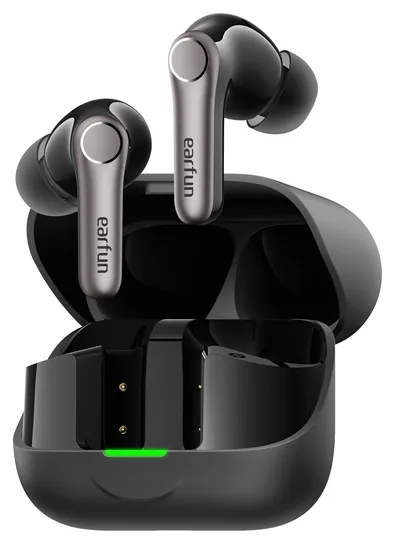
7 EarFun Air Pro 4+

Best budget

For a cheap pair that does double duty, the EarFun Air Pro 4+ combines solid noise canceling and detailed sound with translation in the EarFun Audio app for iPhone or Android, which offers a live mode for talks and a face-to-face mode for chats. It connects to two devices at once and lasts about eight hours with noise canceling on. Translation feels less polished than on a dedicated interpreter, and offline use isn't promised.

  • pairs with two devices
  • talk and lecture modes
  • budget noise canceling

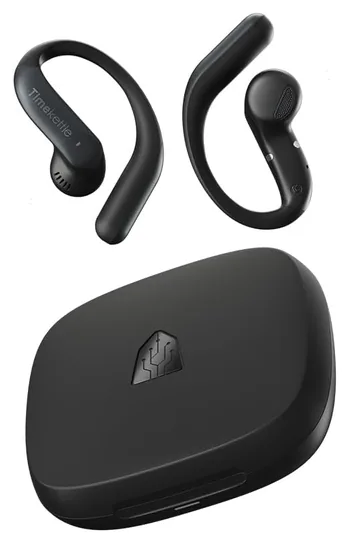
8 Timekettle LiveTalk

Best budget for calls

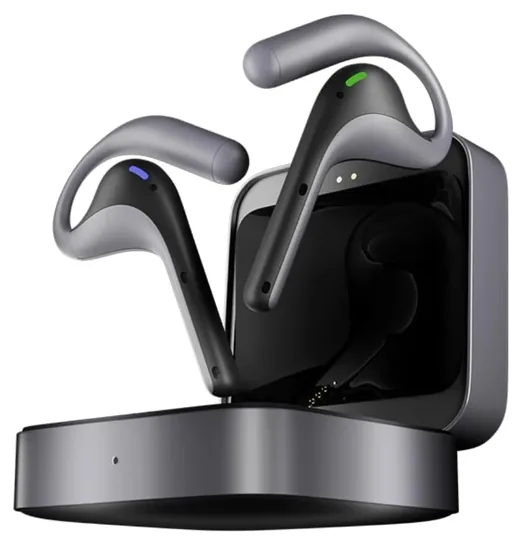
The Timekettle LiveTalk is a light open-ear pair that translates phone calls, Zoom or Teams meetings and videos, and it can stay connected to your phone and laptop at the same time. Face-to-face chats run through your phone's mic, so keep it close, and a charge covers about four hours of translating. You get 200 free minutes a month, then need a plan or minute pack. Several seconds of delay make conversation stilted.

  • phone and laptop at once
  • 200 minutes a month included
  • light open-ear fit

Buyer's guide

Languages, offline packs and hidden fees

Language counts are the easiest number to inflate. No-name earbuds on Amazon promise 100 to 200 languages, yet many cut speakers off mid-sentence. Timekettle's models cover a few dozen languages, Google claims more than 70 for its conversation mode, Samsung handles about 20 and Apple nine. Check that your exact pair is supported.

Offline use means downloading a language pack at home, and the offline list is always shorter. The Timekettle M3's packs are free. The W4 Pro includes two packs and charges about $10 for each extra one, and once its 300 free minutes a month run out, you buy more, according to Notebookcheck. The LiveTalk includes 200 minutes a month. AirPods translate offline once languages are downloaded, Pixel phones do it only on a Pixel 9 or newer, for a handful of English pairs, and Samsung's version is safest with a data connection. Apple, Google, Samsung, Soundcore and EarFun don't charge for translation.

Watch for twin listings. Timekettle's W4 Plus comes in a cheaper version that needs a $14.99 monthly plan for calls, videos and AI tools, as iDevice reports, and a pricier one with those included.

How two-way chats and phone calls work

Dedicated interpreters such as Timekettle's let you hand one bud to the other person. Each of you talks normally and hears the reply in your own language, which keeps a conversation flowing but means sharing an earbud with a stranger. Speaker modes skip the sharing: your phone listens to the other person, you hear the translation in your ears, and the phone says your answer out loud.

AirPods, Pixel Buds and Galaxy Buds work that second way, and only face to face. Apple's version, which Which? found generally accurate, also shows the other person a live transcript on the iPhone. To translate a phone call or a Zoom meeting, you need the Timekettle W4 Pro or LiveTalk. The M3 plays calls but doesn't translate them.

Every pair needs a phone. AirPods need an iPhone 15 Pro or newer with Apple Intelligence turned on, Galaxy Buds need a Galaxy phone with Galaxy AI, and Pixel Buds need Android and work best with a recent Pixel. Timekettle, Soundcore and EarFun use free apps for iPhone and Android, and Timekettle's buds stop translating if the phone disconnects.

Battery, accuracy and when to skip earbuds

Translating drains a battery faster than music does. Timekettle's interpreters last about four to six hours of nonstop translation, while AirPods, Pixel Buds and Galaxy Buds run about seven or eight hours of listening, and every case adds several recharges.

Short, clear sentences translate well; long, fast or slangy ones don't. In a CertifiedLanguages test, pauses cut sentences in half and medical terms failed, so book a human interpreter for a doctor's visit, a legal matter or a contract.

A handheld translator beats earbuds when you talk with lots of strangers, since nobody shares an earbud, in loud places and when you'd rather keep your phone in your pocket. Vasco's handhelds include free lifetime data, though cheap handhelds can lag, and the same test caught one turning "hotel" into "boxing." For occasional trips, a free app such as Google Translate may be enough. To see or hear translations through a pair of frames, browse our AI glasses picks, and to record and transcribe a meeting instead, try an AI voice recorder.

How we researched this

We compared more than 15 earbuds that translate, from Timekettle's interpreters to AirPods, Pixel Buds and Galaxy Buds, using published tests and reviews from SoundGuys, Notebookcheck, Which?, Engadget, CertifiedLanguages, Mighty Gadget, Android Central and tbreak, plus maker spec sheets and plan pages. We checked each Amazon listing on Nov. 16 for price, stock, languages, offline packs and fees, and passed over no-name pairs with inflated language claims, versions that need a monthly plan for calls and close copies of another pick.

Sources (14)
  1. SoundGuys: The best translation earbuds
  2. Notebookcheck: Business earbuds interpreter Timekettle W4 Pro with AI tested
  3. CertifiedLanguages: We tested AI-generated translation devices
  4. Which?: We tested Apple's Live Translation feature. Does it really work?
  5. Engadget: AirPods Pro 3 review
  6. Android Central: The Pixel Buds Pro 2 just got better at blocking noise and translating
  7. TechRadar: Google's new offline Live Translate tool only works on these Pixel models
  8. Tom's Guide: Google Pixel Buds Pro 2 review
  9. Android Central: Samsung Galaxy Buds 4 Pro review
  10. Wareable: Samsung Galaxy Buds 4 Pro review
  11. SamMobile: Galaxy Buds 4 get better real-time language translation
  12. tbreak: Soundcore AeroFit 2 earbuds review
  13. Mighty Gadget: Timekettle LiveTalk review
  14. iDevice: Translation earbuds now come with a monthly subscription

Frequently asked questions

Do translation earbuds work without a phone?

No. Every pair here relies on a phone app or the phone's built-in translator to listen, translate and play the result, even with offline language packs. Timekettle, Soundcore and EarFun use free apps for iPhone and Android. AirPods need an iPhone 15 Pro or newer, Galaxy Buds need a Galaxy phone with Galaxy AI, and Pixel Buds need an Android phone, ideally a Pixel.

Do translation earbuds work offline?

Some do, after you download language packs before the trip. The Timekettle M3's packs are free, the W4 Pro includes two and charges for more, and AirPods work offline once languages are downloaded. Pixel phones translate offline only on recent models and for a few English pairs. Offline lists are much shorter than online ones, so check your exact language pair.

Do translator earbuds need a subscription?

Most don't. Apple, Google, Samsung, Soundcore, EarFun and the Timekettle M3 add no fees. The W4 Pro includes 300 free minutes a month and then sells more, and the LiveTalk includes 200 before you need a plan or minute pack. Timekettle's W4 Plus sells in two versions, and the cheaper one needs a $14.99 monthly plan for calls and video translation.

Can translation earbuds translate phone calls?

Only some. The Timekettle W4 Pro and LiveTalk translate phone calls and video meetings on apps such as Zoom or Teams. The Timekettle M3 plays calls without translating them. AirPods, Pixel Buds and Galaxy Buds translate face-to-face conversations only; any call translation built into those phones is a phone feature, separate from the buds.

Which AirPods can translate conversations?

Apple's Live Translation works on AirPods Pro 3, AirPods Pro 2, AirPods 4 with noise canceling, AirPods 5 and AirPods Max 2. You need an iPhone 15 Pro or newer running iOS 26 with Apple Intelligence turned on. It covers nine languages, works in person rather than on calls, runs offline once languages are downloaded and costs nothing extra.

How accurate are AI translator earbuds?

They're good enough for hotels, taxis, shops and small talk when you speak in short, clear sentences. Long or fast speech, slang, strong accents and names trip them up, and a pause can end a sentence early. Expect a delay of a few seconds per reply. For medical, legal or high-stakes business talks, use a human interpreter.

From the makers of this page

Drafting with ChatGPT or Claude? Make it sound like you.

Speedwrite rewrites AI drafts one paragraph at a time into fresh, natural writing, with a new version every time you press Predict.

Prices were checked on Amazon on November 16, 2026 and change often. As an Amazon Associate, Speedwrite earns from qualifying purchases. We choose every pick ourselves; brands don't pay to be listed.