Speedwrite Writer's gear

The 6 Best Laptops for Writers

We may earn a commission when you buy through links on this page.

The top 5 laptops for writers: Apple MacBook Air 13-inch, Apple MacBook Neo, Microsoft Surface Laptop, Apple MacBook Air 15-inch and Microsoft Surface Pro

Our top pick is the Apple MacBook Air 13-inch: silent, with a precise keyboard and a battery that outlasts a writing day. We also cover a lower-cost Mac for students, Windows and 2-in-1 options, a big screen for editing and a budget laptop for writing. As an Amazon Associate, Speedwrite earns from qualifying purchases.

Writing barely taxes a modern chip, so the best laptop for writing is the one with a comfortable keyboard, a battery that lasts all day, a light body and a screen that's easy on the eyes, not the fastest processor. These picks suit novelists, journalists, content writers and students writing papers, from budget choices for college to roomy screens for editing.

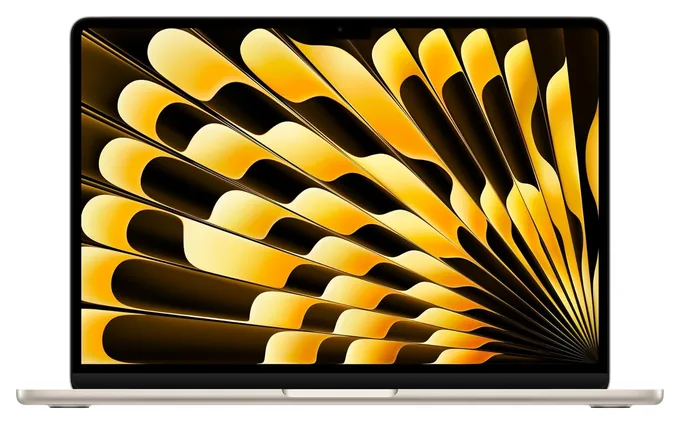
1 Apple MacBook Air 13-inch

Best overall

Long writing sessions are where the Apple MacBook Air 13-inch shines. Its backlit keys feel snappy and precise, the sharp screen shifts its color to suit the room, and with no fan it never makes a sound. One charge lasts a full workday and then some. This version pairs Apple's M5 chip with 16GB of memory and 512GB of storage. It has few ports, though, and nothing can be upgraded later.

  • no fan, no noise
  • fingerprint unlock
  • all-day battery

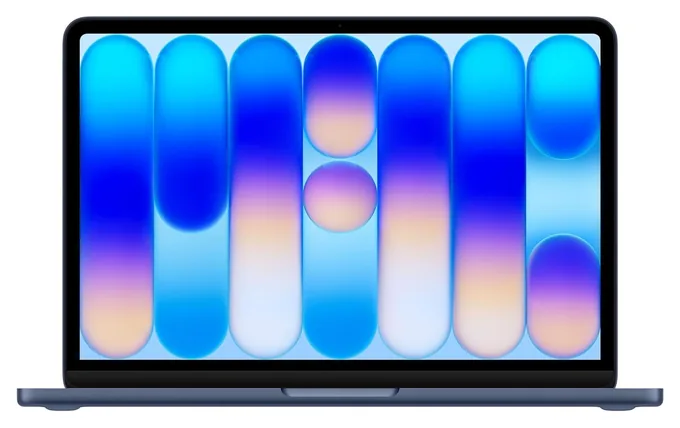
2 Apple MacBook Neo

Best for students

Students and anyone on a budget get a real Mac in the Apple MacBook Neo, which runs on an iPhone chip with no fan, so it stays silent. Its keys have a springy press, and the screen is sharp and bright. Writing needs little speed, so 8GB of memory handles papers and research tabs, but it can't be upgraded and slows with many apps open. Storage is 256GB, and the keys aren't backlit for dim rooms.

  • springy, comfortable keys
  • four color choices
  • silent in a library

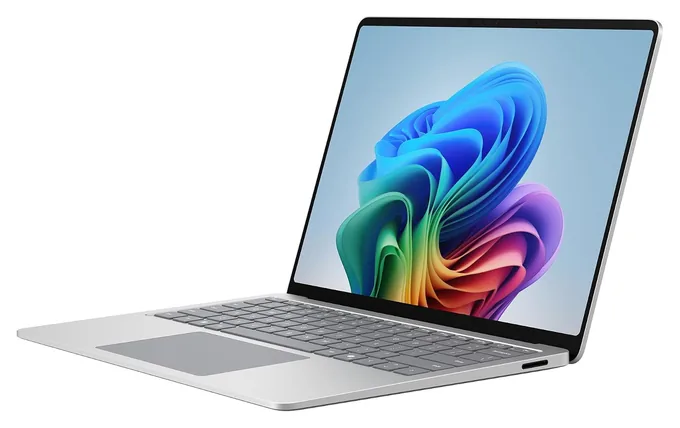
3 Microsoft Surface Laptop

Best Windows laptop

The Microsoft Surface Laptop gives Windows users a tall, sharp touchscreen that shows more lines of a manuscript at once. This version has the faster Snapdragon X2 Elite chip, the one to pick for long battery life, with 16GB of memory and 512GB of storage. A few older Windows writing apps may not run natively on its phone-style chip, so check yours. The keys feel a bit soft, and the glossy screen catches reflections.

  • taller screen shows more text
  • responds to touch
  • two fast USB-C ports

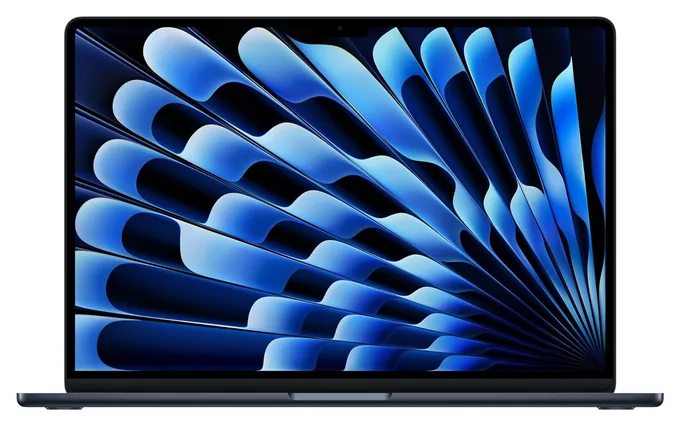
4 Apple MacBook Air 15-inch

Best big screen

Editing goes faster on the Apple MacBook Air 15-inch, whose roomy screen fits a manuscript and your research side by side without squinting. It has no fan, so it works in silence, and the backlit keyboard feels crisp and spacious. The battery lasts well past a workday. This version pairs Apple's M5 chip with 16GB of memory and 512GB of storage. The larger body is heavier in a bag and crowds a small cafe table.

  • two documents side by side
  • six-speaker sound system
  • fanless and silent

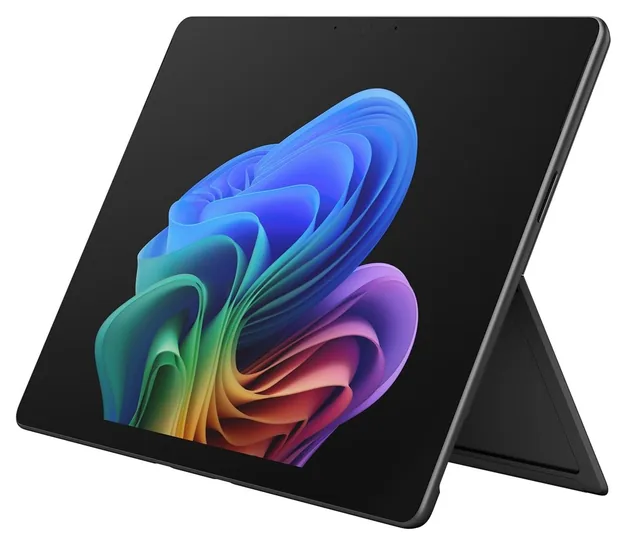
5 Microsoft Surface Pro

Best 2-in-1

If you mark up drafts by hand, the Microsoft Surface Pro works as a tablet you write on with a pen, then stands on its kickstand for typing. Its sharp, tall screen scrolls smoothly, and this version has a Snapdragon X2 Plus chip, 16GB of memory and 512GB of storage. The keyboard and pen are sold separately, and it wobbles on a lap. A few older Windows writing apps may not run natively, so check yours.

  • built-in kickstand
  • handwrite on the screen
  • smooth-scrolling display

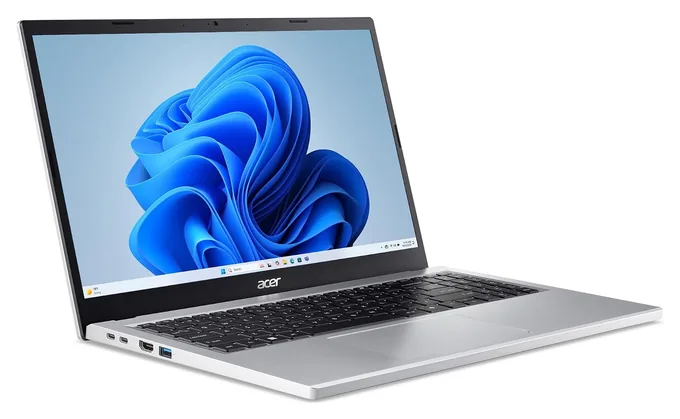
6 Acer Aspire Go 15

Best on a budget

For essays, email and browser-based writing on a small budget, the Acer Aspire Go 15 does the job with a full-size keyboard and a number pad. Inside are a basic Intel chip, 8GB of memory and 128GB of storage, enough for documents but cramped for much else. It ships in Windows S mode, which only installs apps from Microsoft's store until you switch out, a free one-way change. The battery and screen are ordinary, and it's heavy.

  • number pad
  • HDMI for a monitor
  • full-size keyboard

Buyer's guide

What matters in a laptop for writing

Writing is light work for any modern chip, so skip the speed race and judge a laptop by how it feels after three hours. Start with the keyboard: keys should have a clear, springy press and enough travel that your fingers know when a stroke has landed. Next comes battery life. Makers quote best-case figures, and real use with a bright screen and a pile of browser tabs runs shorter, so look for a rating well beyond the hours you plan to work unplugged.

Weight matters if you write in cafes, libraries or on trains. For long sessions, a sharp screen with a warm night setting is easier on tired eyes, and a taller screen, like the ones on Microsoft's Surface models, shows more lines of text at once. A laptop with no fan, such as a MacBook Air, makes no noise at all.

For memory, 8GB handles a word processor and a browser, while 16GB gives room for dozens of research tabs and video calls, as this roundup of laptops for writers notes. Memory usually can't be added later. At a desk, an ergonomic keyboard and a laptop stand spare your wrists and neck.

Mac, Windows or Chromebook?

A MacBook is the safe choice for most people who write. The Air and Neo run silent with no fan, their keyboards are comfortable, battery life is long, and Word, Scrivener, Ulysses and Google Docs all run well on them. Laptop Mag's guide to laptops for writers also names a MacBook Air its best overall.

Choose Windows if your job or school depends on Windows-only software. Microsoft's Surface models run on phone-style Snapdragon chips that are frugal with power, but a few older Windows programs don't run natively on them, so check apps such as Scrivener or Final Draft before you buy.

Chromebooks suit writers who work in a browser, in Google Docs or a web-based editor. They cost less, start in seconds and need little upkeep, but they can't run desktop programs like Scrivener. For writing, look for a Chromebook Plus model, which comes with at least 8GB of memory and a sharp screen, and be wary of models with only 4GB, which leaves little room for open tabs. Laptop Mag's budget pick for writers is the Acer Chromebook Plus Spin 714, a 2-in-1 that folds into a tablet.

ThinkPads and keyboards for all-day typing

If keyboard feel tops your list, look at Lenovo's ThinkPads. Their sculpted keys with deep, firm travel have long been the favorite of people who type all day, and the slim X1 Carbon keeps that feel in a light body. Tom's Hardware's review of the X1 Carbon calls its typing a standout. The X1 Carbon costs a lot, and the T14 and E14 bring a ThinkPad keyboard to lower prices. Configurations vary widely, so compare memory, storage and screen before you buy.

Whatever laptop you choose, a separate keyboard can make long desk sessions kinder. A clacky typewriter-style keyboard brings back the feel of a manual machine, and it pairs with a laptop by Bluetooth or cable. If the internet is the problem rather than the keys, a digital typewriter does nothing but take down words, then hands the draft to your laptop when you're ready to edit.

How we researched this

We started from what people who write all day care about most: keyboard feel, battery life, weight, screen comfort, quiet running and price. We read reviews and roundups from Laptop Mag, Tom's Guide, TechRadar, Expert Reviews, Notebookcheck, PCWorld and others, then checked each pick's current Amazon listing for the exact chip, memory, storage, price and stock. We also weighed recurring complaints, such as soft keys, unlit keyboards, small storage and accessories sold separately.

Sources (15)
  1. Laptop Mag: The best laptops for writers
  2. Tom's Guide: MacBook Air M5 review
  3. TechRadar: Apple MacBook Air 13-inch (M5) review
  4. Six Colors: M5 MacBook Air review
  5. Expert Reviews: Apple MacBook Neo review
  6. MacRumors: MacBook Neo buyer's guide
  7. T3: MacBook Neo review
  8. Galaxus: Surface Laptop 8 13.8-inch review
  9. Notebookcheck: Microsoft Surface Laptop 13.8 (2026) review
  10. Bestlaptop.deals: Microsoft Surface Laptop 8 review
  11. Notebookcheck: Microsoft Surface Pro 13 (2026)
  12. Tom's Guide: Acer Aspire Go 15 (2025) review
  13. PCWorld: Acer Aspire Go 15 review
  14. Cloudspress: The 6 best laptops for writers in 2026
  15. Tom's Hardware: Lenovo ThinkPad X1 Carbon (Gen 13) Aura Edition review

Frequently asked questions

What is the best laptop for writers?

For most people it's the Apple MacBook Air 13-inch: a precise backlit keyboard, no fan, a sharp screen and a battery that lasts past a full writing day. If you need Windows, the Microsoft Surface Laptop's tall screen shows more text, and the MacBook Neo is a lower-cost Mac for students.

Is a Mac or a Windows laptop better for writing?

Either works for Word, Google Docs and most writing apps. MacBooks lead on silence and battery life and run Mac-only tools such as Ulysses. Choose Windows if school or work requires Windows software, and on Snapdragon-based Windows laptops, check that older programs such as Scrivener or Final Draft run well before you buy.

How much memory does a laptop for writing need?

8GB is enough for a word processor, email and a handful of browser tabs, because writing barely taxes a computer. Pick 16GB if you keep many research tabs, a reference manager and video calls open at once, or plan to keep the laptop for many years. On most thin laptops, memory can't be upgraded later.

Is a Chromebook good enough for writing?

Yes, if you write in Google Docs or another web-based editor. Chromebooks cost less, start fast and need little upkeep. They can't run desktop programs like Scrivener or Final Draft, though the web version of Word works. Choose a Chromebook Plus model so you get at least 8GB of memory and a sharp screen.

What is the best laptop for college students?

For most students, the Apple MacBook Neo is a strong choice: a lower-cost Mac with a comfortable keyboard, silent running and plenty of power for papers and research, though its memory can't be upgraded. On a tighter budget, the Acer Aspire Go 15 handles essays and browser work, but it's heavy and ships in Windows S mode.

Do I need a backlit keyboard for writing?

Not if you touch-type, but lit keys help when you write late, on planes or in dim cafes and need to find a key by sight. Both MacBook Air models light their keys. The MacBook Neo doesn't, which is the most common complaint about its keyboard.

From the makers of this page

Drafting with ChatGPT or Claude? Make it sound like you.

Speedwrite rewrites AI drafts one paragraph at a time into fresh, natural writing, with a new version every time you press Predict.

Prices were checked on Amazon on November 16, 2026 and change often. As an Amazon Associate, Speedwrite earns from qualifying purchases. We choose every pick ourselves; brands don't pay to be listed.